FAA drone registration: do I have to register my new drone?
Flown only for fun, a drone of 0.55 lb (249.48 g) or less at takeoff needs no FAA registration. Anything heavier, and any drone flown for work whatever it weighs, is registered on FAADroneZone, the FAA's own site: $5, valid for 3 years. Three questions give the answer for your own drone, battery and use.
Do I have to register my drone? Answer three questions
The answer changes as you answer. Your answers stay in this page's address, so you can share them; the helper registers nothing, asks for no name, address, email or serial number, saves nothing and sends nothing.
The helper needs JavaScript, which is off in this browser. Both FAA registrations are side by side below, and further down are every rule the helper applies, three ready-made answers and the registration steps.
Before any answer: who registers, for fun and under Part 107, side by side.
| Topic | Only for fun | Part 107 |
|---|---|---|
| Which drones | Over 0.55 lb (249.48 g) at takeoff, everything on board; 0.55 lb or less needs noneR06, R07; 14 CFR 48.15(b) | Every drone, whatever it weighs, under 250 g tooR03; 14 CFR 48.100(a) |
| How many registrations | One certificate for all the drones you fly only for fun; the same number on eachR07; 14 CFR 48.105(a) | One per drone, each with its own certificate and numberR03; 14 CFR 48.100(a) |
| Cost | $5, onceR07; 14 CFR 48.30(b) | $5 per droneR03; 14 CFR 48.30(a) |
| How long | 3 years, then renewR26 | 3 years for each drone, then renewR26 |
| Where | FAADroneZone, Recreational Flyer DashboardR17 | FAADroneZone, Part 107 DashboardR17 |
| Also needed | TRUST, for every flightN03 | A remote pilot certificate, age 16 or olderN04 |
| 55 lb or more | On paper under part 47, not FAADroneZoneR02 | On paper under part 47, not FAADroneZoneR02 |
What FAA drone registration costs and how long it lasts
Both FAA registrations cost $5 and last 3 years.
What the $5 covers differs, and the fee is set by rule, 14 CFR 48.30:
A recreational registration cannot be used for Part 107 flying, and the FAA's system does not move a drone from one to the other: a drone you start flying for work is registered again under Part 107.
Three drones
Only for fun: $5 for all three, one number. Under Part 107: $15, a number each.
How to register your drone on FAADroneZone, step by step
FAADroneZone, the FAA's official site for drone services, is at faadronezone-access.faa.gov; the older address, faadronezone.faa.gov, forwards there.
The FAA estimates the form at about 5 minutes. Have ready your physical and mailing address, an email address you will keep (renewal logs in with it), a phone number, each drone's make and model with its Remote ID serial number, and a credit or debit card. The first steps are the same for everyone; then flyers who fly only for fun and Part 107 drone pilots go to different dashboards.
Have ready
- Your physical and mailing address
- An email address you will keep
- A phone number
- Each drone's make, model and Remote ID serial number
- A credit or debit card
First, for everyone
Pick your track
Only for fun, under 49 U.S.C. 44809: recreational. Anything else, paid or not: Part 107. Both: Part 107. When in doubt, the FAA says assume Part 107.
S01. Source: 14 CFR 48.100(a), 48.105(a); FAA Recreational Flyers
Weigh it as you fly it
Everything on board counts. Recreational: 0.55 lb (249.48 g) or less needs no registration. Part 107: every drone. 55 lb or more: paper registration under part 47.
S02. Source: 14 CFR 48.15(b); AIM 11-2-2; FAA Unmanned Aircraft registry page
Open an account on FAADroneZone
The FAA's official site for drone services; faadronezone.faa.gov now opens faadronezone-access.faa.gov. Use an email you will keep: renewal logs in with the same email.
S03. Source: FAADroneZone landing page; FAA How to Register
Then, only for fun: the Recreational Flyer Dashboard
Open the recreational dashboard
Launch Drone Owners and Pilots Dashboard, then the Recreational Flyer Dashboard.
S04. Source: FAA Remote ID page
Give what is asked
Legal name, physical address (and mailing address if different), email, phone; the FAA may make your name and address public, not your email or phone.
S05. Source: 14 CFR 48.110(a), 48.25(b); FAA How to Register; FAADroneZone Privacy Act statement
Pay $5
By credit or debit card. The FAA sets the fee by rule (14 CFR 48.30(b)): $5 per certificate, and one certificate covers all your fun-only drones.
S06. Source: 14 CFR 48.30(b)-(c); FAA How to Register
Get the certificate
Certificate of Aircraft Registration with your number (the FAA's sample reads FA12345678); effective the day it is issued, expires 3 years later.
S07. Source: 14 CFR 48.105(b)-(c); FAA How to Label (PDF)
List each drone and its Remote ID serial
Manage Device Inventory, Add Device, answer Yes to the Remote ID question, choose the device type, enter the serial of the drone (standard Remote ID) or of the module; a drone listed earlier with No gets a new listing.
S08. Source: FAA Remote ID page; 14 CFR 48.110(a)(5)-(7), 89.110(b)(4)
Mark every drone
The same number on an outside surface of each drone, legible, before you fly: engraving, permanent label or permanent marker.
S09. Source: 14 CFR 48.200, 48.205; FAA How to Label (PDF); FAA Remote ID page
Carry proof
The certificate on paper or on your phone, and your TRUST proof; show them to the FAA or law enforcement if asked.
S10. Source: 49 U.S.C. 44809(a)(7)-(8); FAA How to Register
Renew every 3 years
In the 6 months before the expiry month: log in with the same email (reset the password if needed), recreational dashboard, Renew, $5; the new certificate runs 3 years from the old expiry.
S11. Source: 14 CFR 48.105(c), 48.30(c); FAA DroneZone password recovery guide (PDF)
Or, for anything else: the Part 107 Dashboard
Open the Part 107 dashboard
Launch Drone Owners and Pilots Dashboard, then the Part 107 Dashboard. A business puts its name in the “Part 107 account name” field; the person who sets it up need not hold a remote pilot certificate; add a Part 107 Administrator or Inventory Manager if needed.
S12. Source: FAA Getting Started; FAA Remote ID page
Give what is asked
Owner's legal name (for a company, also its authorized representative), physical address, email, phone.
S13. Source: 14 CFR 48.110(a)(1)-(4), 48.25(b)
Add each drone
Add Device for each drone: make and model, and the Remote ID serial of the drone or of its module; one serial on one certificate at a time.
S14. Source: FAA Remote ID page; 14 CFR 48.110(a)(5)-(7)
Pay $5 per drone
By credit or debit card; the FAA sets the fee by rule (14 CFR 48.30(a)): $5 for each aircraft.
S15. Source: 14 CFR 48.30(a), (c); FAA How to Register
Get one certificate per drone
Each drone gets its own certificate and number, effective on issue, expiring 3 years later.
S16. Source: 14 CFR 48.100(a)-(c); FAA Remote ID page
Mark each drone with its own number
On an outside surface, legible, before you fly.
S17. Source: 14 CFR 48.200, 48.205; FAA How to Label (PDF)
Carry the certificate
Paper or electronic, available on request (107.13 points to 91.203(a)(2)); a pilot flying a company drone carries a copy of that drone's registration.
S18. Source: 14 CFR 107.13, 91.203(a)(2); FAA Getting Started
Add a serial to an existing listing
Manage Device Inventory, the three dots under Actions, Edit, answer Yes to the Remote ID question, enter the serial, Save.
S19. Source: FAA Remote ID page
Renew each drone every 3 years
In the 6 months before each certificate's expiry month, $5 per drone; the new one runs 3 years from the old expiry.
S20. Source: 14 CFR 48.100(c), 48.30(a)
After you register
Keep your details current
Update a change (address, email, phone, name) within 14 calendar days.
S21. Source: 14 CFR 48.115(a), (b)(1)
Sold, destroyed, exported or lost
Cancel within 14 calendar days: Manage Device Inventory, the three dots under Actions, Cancel; the device stays listed as canceled; the buyer registers it in the buyer's name.
S22. Source: 14 CFR 48.115(b)(2); FAA FAQ; FAA Remote ID page
Warranty replacement
A replacement with a new serial: recreational, put your number on it and list its serial; Part 107, register it as a new drone.
S23. Source: FAA FAQ; 14 CFR 89.110(b)(4)
Visitors from abroad
Registered at home, broadcasts FAA Remote ID
Before flying, submit a Notice of Identification at FAADroneZone; carry the Confirmation of Identification (not U.S. registration) and show it on request.
S24. Source: 14 CFR 89.130; FAA International UAS Operators
Not registered at home, or no Remote ID
The FAA page says fly only inside a FRIA, and that the DroneZone registration process gives recognition of ownership, not U.S. registration.
S25. Source: FAA International UAS Operators; 14 CFR 48.125
Flying for work
A DOT foreign aircraft permit (part 375), applied for at least 15 days ahead, about 30 days to issue; an FAA remote pilot certificate, tested in the U.S.
S26. Source: FAA International UAS Operators
Who can register: age 13, citizens, residents and businesses
The owner registers the drone, in the owner's legal name (14 CFR 48.25).
Eligible owners, under 14 CFR 48.20:
The helper sends a club or a school that flies only for fun to a Part 107 account as well: the recreational certificate covers drones “owned by the individual identified on the application” (14 CFR 48.105), and a Part 107 registration meets the rule either way. Living in the U.S. on a visa, without permanent residence, does not make you eligible; the next section covers visitors.
Who counts as the owner, and what the FAA may disclose
“Owner” includes a buyer who has the drone and someone leasing it under a conditional sale contract, and a registration is not evidence of who owns a drone in a dispute (14 CFR 48.25). The FAA may disclose a registered owner's name, address, registration number and aircraft type to the public; it does not disclose part 48 registrants' email addresses and phone numbers that way (FAADroneZone Privacy Act statement).
Visiting the U.S. with your own drone
A drone owned by someone who is not a U.S. citizen or permanent resident cannot take U.S. registration, and a drone registered in another country cannot also hold a part 48 registration (14 CFR 48.120).
Registered abroad, with Remote ID
Submit a Notice of Identification to the FAA before you fly, and carry its Confirmation of Identification.
Not registered abroad, or no Remote ID
Fly only inside an FAA-Recognized Identification Area (FRIA), with the FAA's recognition of ownership.
Flying for work
A Department of Transportation foreign aircraft permit: apply at least 15 days ahead.
What the FAA asks depends on whether the drone is registered at home and broadcasts FAA Remote ID. Its page “Information for International UAS Operators in the United States” (updated December 16, 2024) says, for a drone registered abroad that broadcasts:
If the foreign drone has FAA remote ID broadcasting capabilities and is registered in a country outside of the United States, then you must submit a Notice of Identification (NOI) to the FAA before you fly.
The notice gives your name, U.S. address, phone and email while you are here, the drone's make, model and serial number, and the country and number of its registration. The FAA answers with a Confirmation of Identification, which is not U.S. registration: keep it with you when you fly, show it on request, and update the notice before flying if anything changes (14 CFR 89.130). For a drone not registered abroad, or without Remote ID, the same page says:
If your drone is not registered in a country outside the United States and/or does not have Remote ID, the only place you can operate your drone is within the geographic boundaries of an FAA-Recognized Identification Area (FRIA). Visit the FAADroneZone and follow the FAA's registration process. By following the registration process, you will receive a document to show recognition of UAS ownership.
That document is a recognition of ownership, not U.S. registration (14 CFR 48.125). The page does not say what applies to a visitor's drone of 0.55 lb or less flown only for fun, so the helper gives no verdict of its own on it. Flying only for fun, the recreational rules of 49 U.S.C. 44809 apply to a visitor as to anyone, TRUST included. Flying for work takes a Department of Transportation foreign aircraft permit under 14 CFR part 375: apply at least 15 days ahead, and it can take about 30 days. The FAA recognizes no foreign remote pilot certificate; its knowledge test is taken at a testing center in the U.S.
Marking the number on the drone, and what to carry
A registered drone shows its registration number before it flies (14 CFR 48.200, 48.205):
Carry the certificate, on paper or on your phone, whenever you fly; anyone else flying your drone carries it too, and shows it to the FAA or to federal, state or local law enforcement if asked. Flying only for fun, carry your TRUST proof as well (49 U.S.C. 44809). A pilot flying a company's drone under Part 107 carries a copy of that drone's registration.
FA12345678
The FAA's sample number: yours is on your certificate and in your FAADroneZone account.
Registration and Remote ID: the serial number
A drone that is registered, or must be, has to meet the Remote ID rule, which has applied since September 16, 2023, in one of three ways (14 CFR 89.105 to 89.115):
Standard Remote ID, built in
The drone's own serial number goes on its registration. In FAADroneZone, list the drone, answer Yes to the Remote ID question and enter the serial.
A broadcast module
The module's serial goes on the registration instead, and you must see the drone at all times.
Neither
Fly only inside an FAA-recognized identification area (FRIA), with the drone in sight.
A serial number can be on one registration at a time; a recreational registration can list more than one module (14 CFR 48.110). The serial may be on the drone, on the controller or in a start-up menu; ask the maker if you cannot find it. A drone you listed earlier with No to the Remote ID question gets a new listing. The table gives each drone in our records as the helper answers it. For the DJI Flip, DJI Mini 4K, DJI Neo and DJI Neo 2 we found no FAA declaration of compliance when we searched the FAA's list by model name, so the helper prints “Not stated by the maker” and gives all three ways. Our Remote ID guide covers the rest.
| Drone | Weight at takeoff | Only for fun | Part 107 | Remote ID |
|---|---|---|---|---|
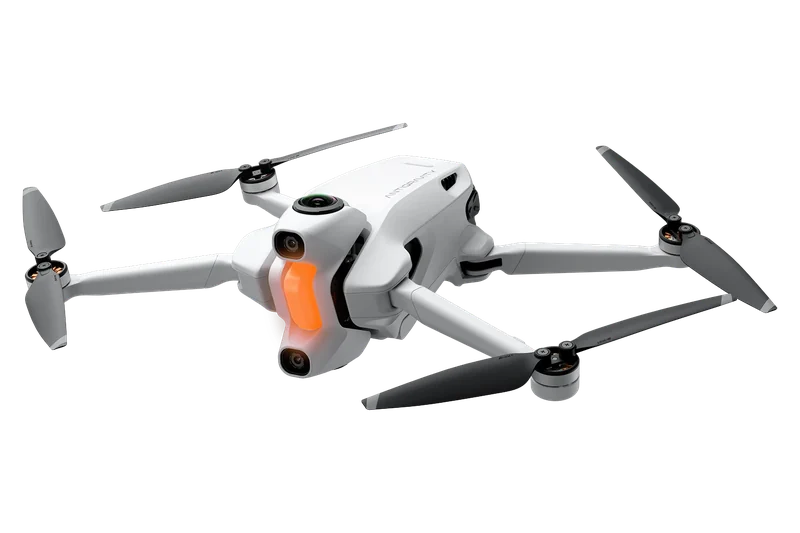 Antigravity A1 | 249 g | No registration; with High-Capacity Flight Battery (291 g): register | Register, $5 | Only with the High-Capacity Flight Battery |
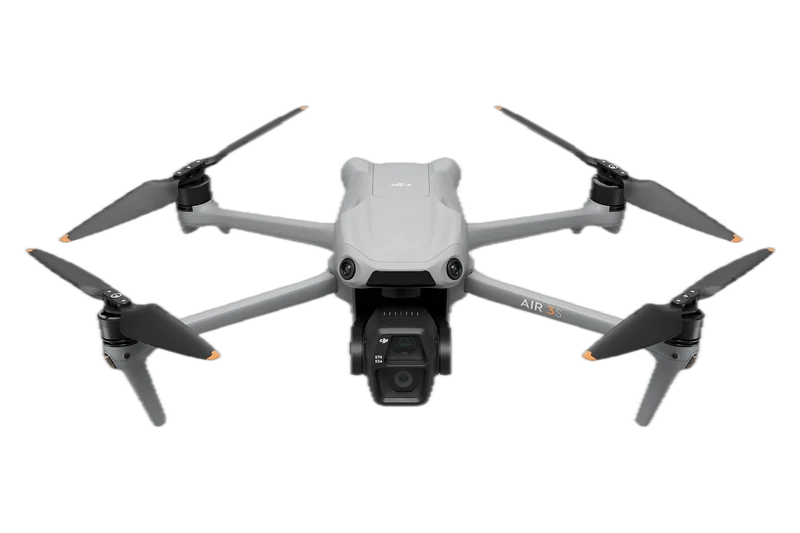 DJI Air 3S | 724 g | Register | Register, $5 | Built in |
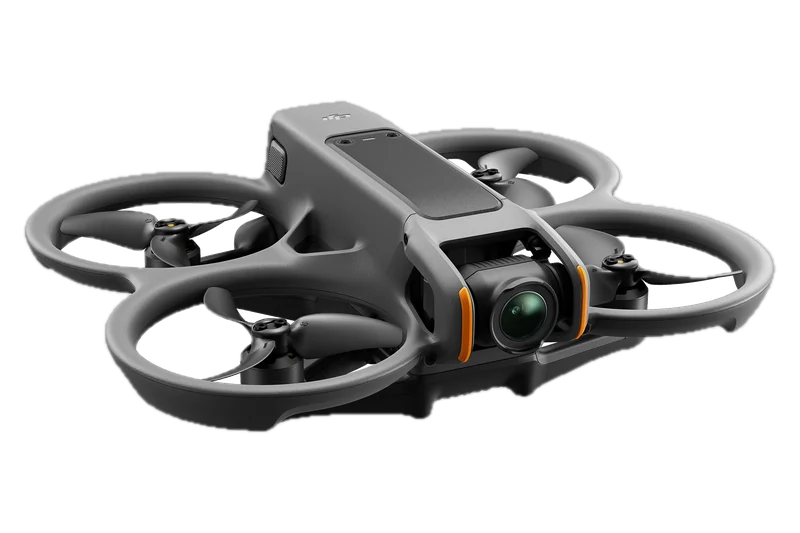 DJI Avata 2 | About 377 g | Register | Register, $5 | Built in |
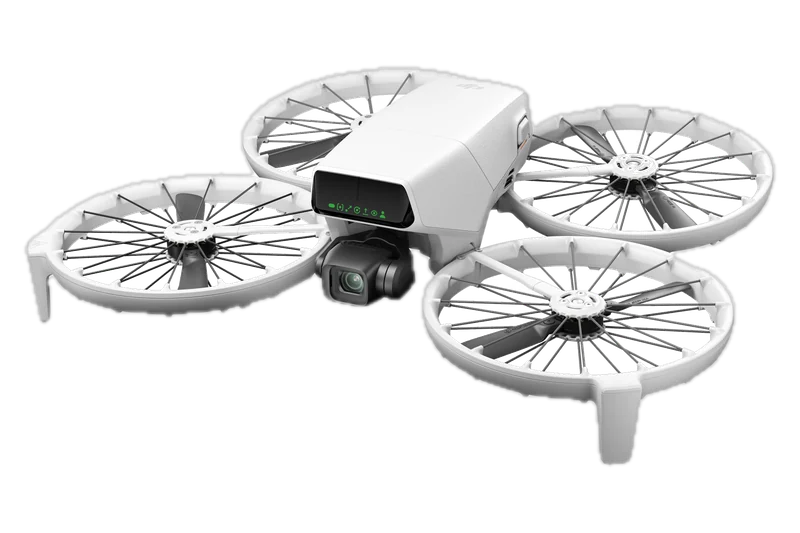 DJI Flip | Under 249 g | No registration | Register, $5 | Not stated by the maker; no FAA declaration of compliance found |
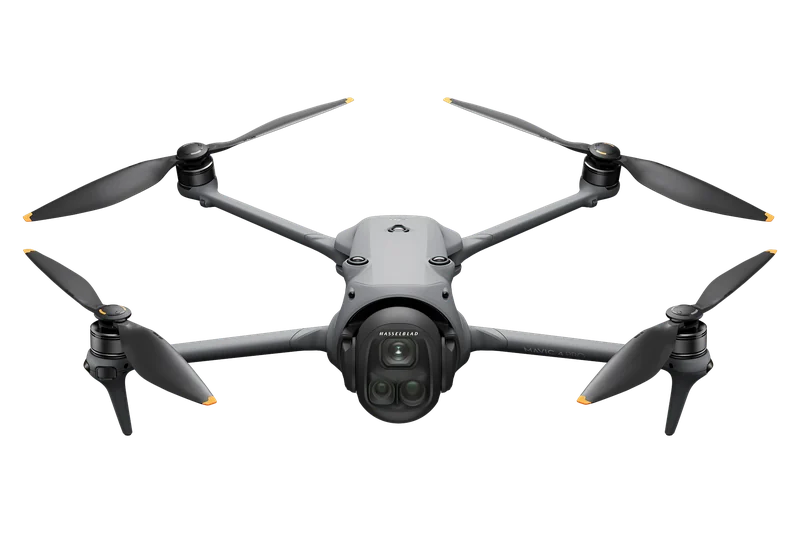 DJI Mavic 4 Pro | About 1,063 g | Register | Register, $5 | Built in |
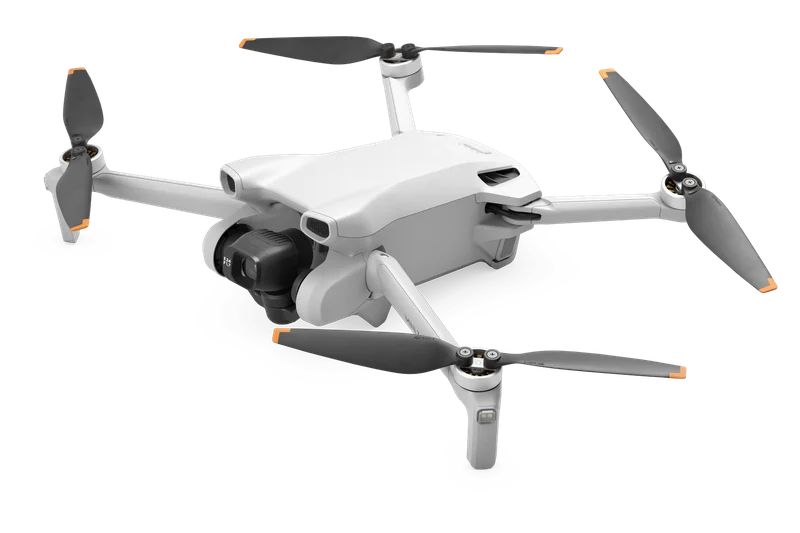 DJI Mini 3 | 248 g | No registration; with Intelligent Flight Battery Plus (about 290 g): register | Register, $5 | Only with the Intelligent Flight Battery Plus |
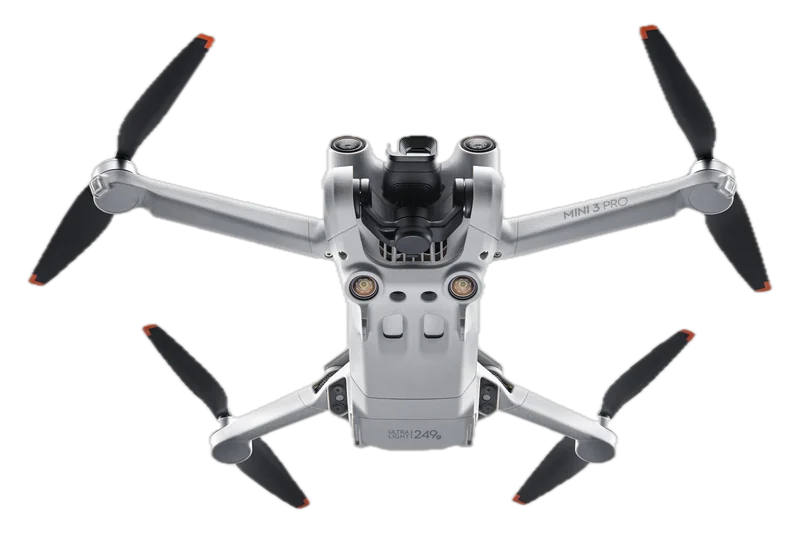 DJI Mini 3 Pro | Under 249 g | No registration; with Intelligent Flight Battery Plus (about 290 g): register | Register, $5 | Built in |
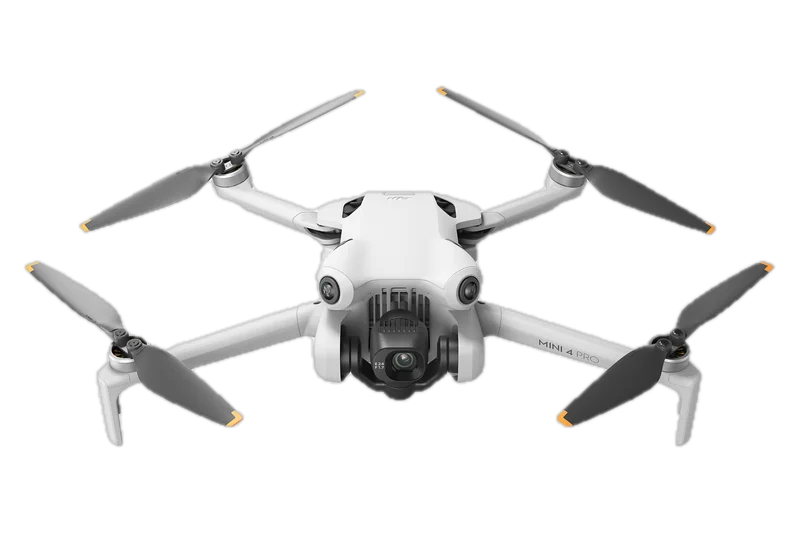 DJI Mini 4 Pro | Under 249 g | No registration; with the Intelligent Flight Battery Plus or a propeller guard: register | Register, $5 | Only with the Intelligent Flight Battery Plus |
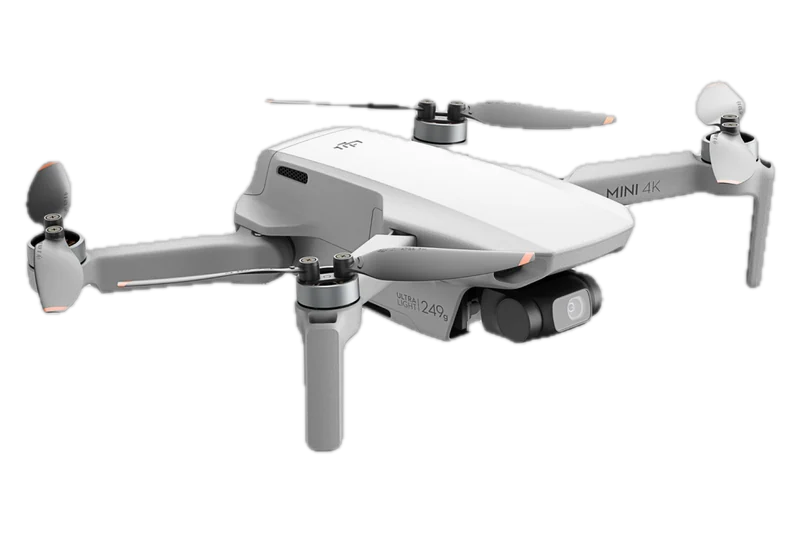 DJI Mini 4K | 246 g | No registration | Register, $5 | Not stated by the maker; no FAA declaration of compliance found |
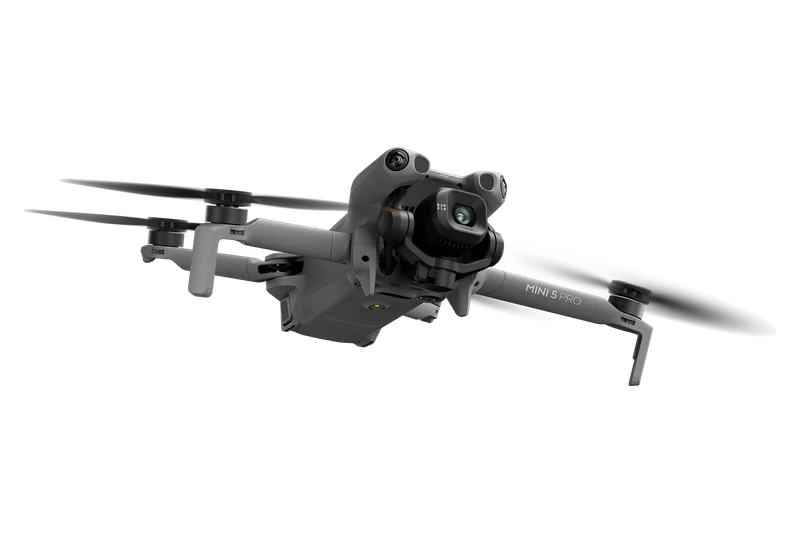 DJI Mini 5 Pro | 249.9 g, plus or minus 4 g | No verdict: weigh yours | Register, $5 | Built in |
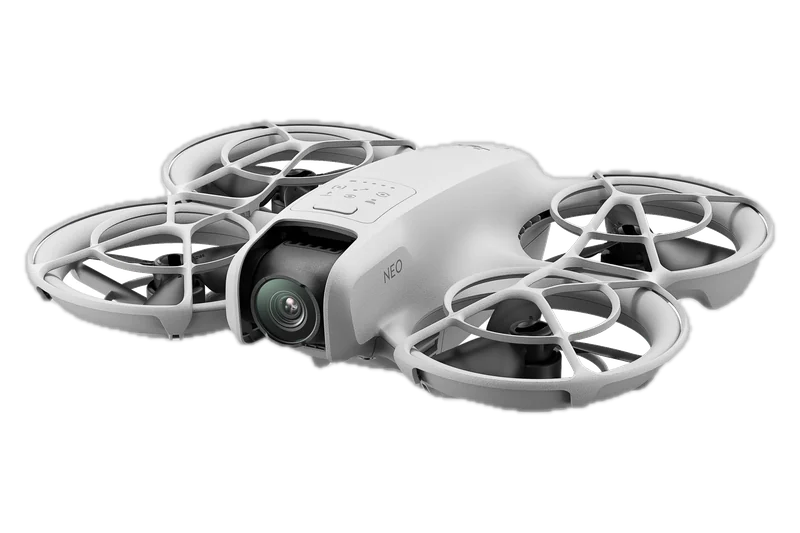 DJI Neo | About 135 g | No registration | Register, $5 | Not stated by the maker; no FAA declaration of compliance found |
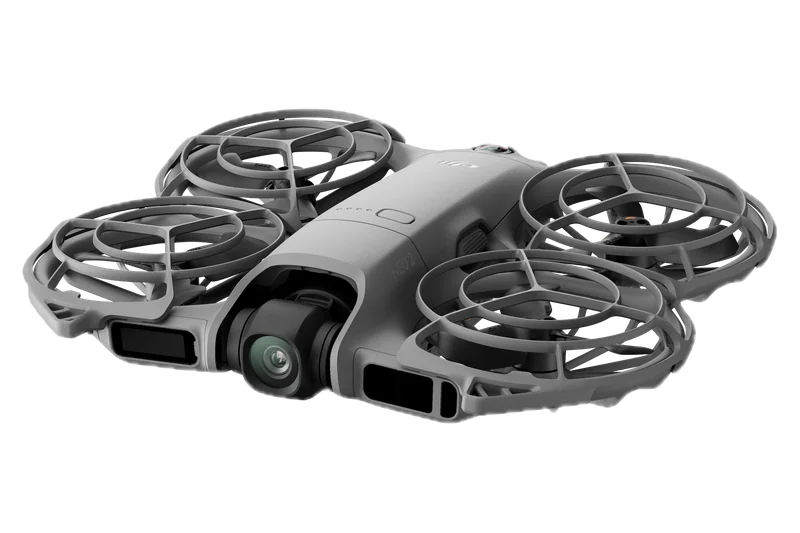 DJI Neo 2 | 151 g | No registration | Register, $5 | Not stated by the maker; no FAA declaration of compliance found |
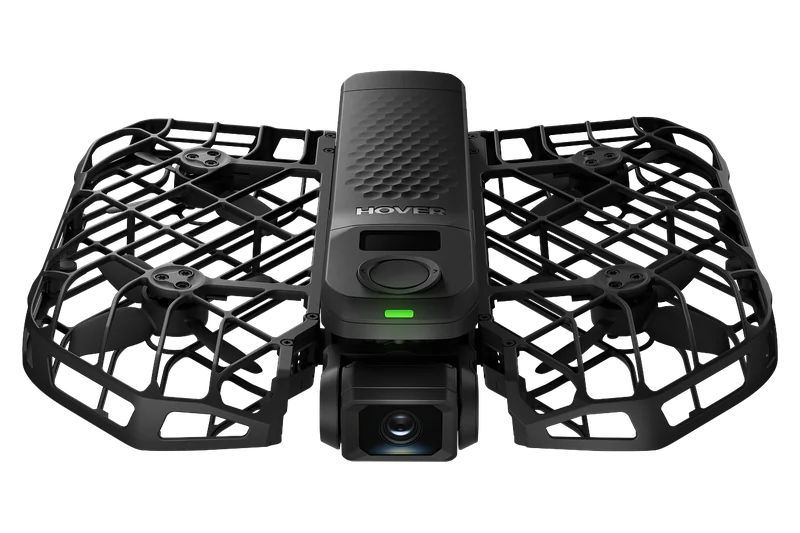 HOVERAir X1 PRO | 192 g | No registration | Register, $5 | Built in |
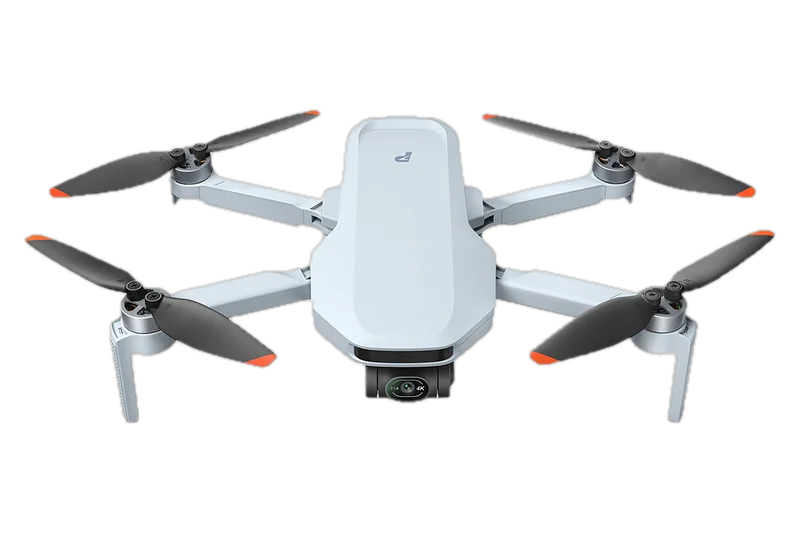 Potensic ATOM 2 | Under 249 g | No registration | Register, $5 | Built in |
Sold, lost, destroyed or replaced: keeping the registration updated
The registration holder keeps it accurate in FAADroneZone, and every change is due within 14 calendar days (14 CFR 48.115):
Register only on the FAA's own site
FAADroneZone “is the official FAA website for managing drone services”, in the FAA's own words on its landing page.
Some websites offer to register a drone for you; the fee is $5, and it is paid only in the FAA's own system, FAADroneZone. The helper on this page registers nothing: it asks for no name, address, email or serial number, stores nothing and sends nothing.
Registered? Check where you can fly
Can I fly here? gives the airspace and flight restrictions for the spot you choose, with your drone.
Can I fly here?How the helper decides: every rule, in order
Every answer comes from the rules printed below and nothing else.
The helper takes your drone's takeoff weight from our drone records, or the weight you type, checks it against the line, then applies the rules in the order printed: what you fly it for, who owns it, and whether you are registered already. Each rule names its source.
0.55 lb is 249.476 g
A scale that reads 249.47 g is at or under the line; 249.48 g is over.
Every rule, with its source
Rules that decide the answer
| Rule | When it applies, what it does, why, and the source |
|---|---|
| R01 | Always The helper never registers anything and asks for no name, address, email, phone or serial; answers stay on the page and in the address bar; FAADroneZone is named as text, with no link The FAA collects these itself at FAADroneZone; a helper that took them would look like the sites the FAA warned about Source: Our choice; 14 CFR 48.110(a) lists what the FAA asks, read November 14, 2026 |
| R02 | When the takeoff weight is 55 lb (24,947.6 g) or more Not FAADroneZone: register on paper under part 47 for an N-number, $5.00 by check or money order Small drones are under 55 lb; the online system is for them Source: 14 CFR 1.1, read November 14, 2026; FAA Aircraft Registration, Unmanned Aircraft page, read November 14, 2026 |
| R03 | When question 2 is “Anything else: work, a business, help for an organization, paid or not”, and the takeoff weight is under 55 lb Register under Part 107: each drone its own certificate and number, $5 per drone, valid 3 years, whatever the drone weighs, under 250 g too Any purpose other than flying only under 44809 is a 48.100 registration, one per aircraft Source: 14 CFR 48.100(a), 48.100(c), 48.30(a), read November 14, 2026; AIM 11-2-2 regardless of weight, read November 14, 2026 |
| R04 | When question 2 is “Both” Same as R03: register the drone under Part 107; that registration also covers its fun flights; a recreational registration cannot cover the work 48.105 covers only drones used exclusively under 44809; registrations cannot move between the two types Source: Derived from 14 CFR 48.100(a) and 48.105(a), read November 14, 2026; FAA How to Register (no transfer), read November 14, 2026 |
| R05 | When question 2 is “Not sure yet” Show R03 first with the FAA's line “When in doubt, assume Part 107”; show the fun-only answer (R06 or R07) second, each in its own column The FAA's own advice; the two tracks stay side by side, never blended Source: FAA Recreational Flyers page, read November 14, 2026 |
| R06 | When question 2 is “Only for fun”, and the takeoff weight, with the battery or add-on of question 1b counted, is 0.55 lb (249.48 g) or less No FAA registration needed for this drone; the TRUST certificate is still needed and carried; if you list it on a registration anyway, it is a registered drone and Remote ID applies (R23) The exception is 0.55 lb or less on takeoff, flown only for fun; 89.101(a)(1) covers drones that are registered Source: 14 CFR 48.15(b), 89.101(a)(1), read November 14, 2026; 49 U.S.C. 44809(a)(7), read November 14, 2026; FAA How to Register (or are registered), read November 14, 2026 |
| R07 | When question 2 is “Only for fun”, and the takeoff weight, with the battery or add-on of question 1b counted, is over 0.55 lb (249.48 g), and the takeoff weight is under 55 lb Register as a recreational flyer: one certificate, $5, covers every drone you fly only for fun, valid 3 years; the same number goes on each One 48.105 certificate covers all of an individual's drones flown only under 44809 Source: 14 CFR 48.105(a), 48.105(c), 48.30(b), read November 14, 2026; FAA How to Register (Registration Fees), read November 14, 2026 |
| R08 | When question 1 is the DJI Mini 5 Pro, and question 2 is “Only for fun” or “Not sure yet” No verdict: print 249.9 g, plus or minus 4 g, beside 0.55 lb (249.48 g); show R06 for a drone that weighs 0.55 lb or less on your scale (249.47 g or less on a scale that shows hundredths of a gram) with everything on board, R07 otherwise The maker's tolerance straddles the line and the rule counts the drone as flown (standing decision) Source: 14 CFR 48.15(b), read November 14, 2026; DJI Mini 5 Pro specs, read November 13, 2026 |
| R09 | When question 1b is “The larger battery” or “A propeller guard or other add-on” or “Not sure” Use the heavier figure: Mini 3 about 290 g and Mini 3 Pro about 290 g with Battery Plus, Antigravity A1 291 g with the High-Capacity Flight Battery; all over 0.55 lb Everything on board on takeoff counts Source: 14 CFR 48.15(b), read November 14, 2026; each maker's spec pages as our drone records give them, read November 13, 2026 |
| R10 | When question 1 is the DJI Mini 4 Pro Standard battery: under 249 g, R06 for fun. Intelligent Flight Battery Plus: DJI says over 249 g and prints no exact figure; that battery weighs about 43.1 g more than the standard one, so treat it as over 0.55 lb, R07. Propeller guard: over 0.55 lb, R07; DJI says not to fit the guard with Battery Plus The battery and the guard change the takeoff weight and, for Remote ID, the battery decides Source: DJI Mini 4 Pro specs, user manual v1.4 and Propeller Guard user guide v1.4, read November 13, 2026; 14 CFR 48.15(b), read November 14, 2026 |
| R13 | When question 3 is “A business, school, club or other organization” Use a Part 107 account: the person who sets it up need not hold a remote pilot certificate; the business name goes in the “Part 107 account name” field; each drone is registered in the Part 107 inventory. A non-citizen corporation qualifies only if organized and doing business under U.S. law with the drone based and mainly used here The recreational certificate is issued to an individual; an organization-owned drone goes through the Part 107 account Source: FAA Getting Started (business account), read November 14, 2026; 14 CFR 48.20(c), 48.105(a), read November 14, 2026 |
| R14 | When question 3 is “Someone who is not a U.S. citizen or permanent resident, such as a visitor”, and question 3b is “Registered at home and it broadcasts FAA Remote ID” Before flying, submit a Notice of Identification at FAADroneZone; the FAA issues a Confirmation of Identification, which is not U.S. registration; keep it with you and show it on request Foreign-registered drones are identified, not registered, in the U.S. Source: 14 CFR 89.130, read November 14, 2026; FAA International UAS Operators page, read November 14, 2026 |
| R15 | When question 3 is “Someone who is not a U.S. citizen or permanent resident, such as a visitor”, and question 3b is “Not registered at home, no Remote ID, or not sure” The FAA's page is quoted, not restated: fly only inside an FAA-recognized identification area (FRIA); the FAADroneZone registration process gives a document showing recognition of ownership, not U.S. registration The FAA's own wording is unclear, so the helper quotes it and names the source Source: FAA International UAS Operators page (NOTE), read November 14, 2026; 14 CFR 48.125, read November 14, 2026 |
| R18 | When question 4 is “Yes, as a recreational flyer”, and question 2 is “Only for fun” Add the drone to your inventory (Manage Device Inventory, Add Device); no new fee; the same number goes on it One recreational certificate covers all drones in the inventory Source: FAA How to Register (covers all drones in your inventory), read November 14, 2026; FAA Remote ID page, read November 14, 2026 |
| R19 | When question 4 is “Yes, as a recreational flyer”, and question 2 is “Anything else: work, a business, help for an organization, paid or not” or “Both” or “Not sure yet” Your recreational registration does not cover this: register the drone under Part 107; a registration cannot be transferred between the types The two registrations are separate Source: FAA How to Register; AIM 11-2-2, read November 14, 2026 |
| R20 | When question 4 is “Yes, under Part 107” Add the drone as a new device in the Part 107 inventory: $5 and its own number One certificate per aircraft Source: 14 CFR 48.100(a), 48.30(a), read November 14, 2026 |
What an answer adds
| Rule | When it applies, what it does, why, and the source |
|---|---|
| R11 | When question 3 is “A child under 13” A person 13 or older (a parent or other adult) registers the drone; that person is the applicant The rule lets someone other than the owner apply only in this case Source: 14 CFR 48.25(b), 48.120(b), read November 14, 2026; FAA How to Register (Registration Requirements), read November 14, 2026 |
| R12 | When question 3 is “Me, 13 or older, a U.S. citizen or permanent resident” Register in your own legal name; you must be a U.S. citizen or lawful permanent resident Eligibility and legal name Source: 14 CFR 48.20(a)-(b), 48.25(b), read November 14, 2026 |
| R16 | When question 3 is “Someone who is not a U.S. citizen or permanent resident, such as a visitor”, and question 2 is “Anything else: work, a business, help for an organization, paid or not” or “Both” Add: a DOT foreign aircraft permit under part 375, applied for at least 15 days ahead (about 30 days to issue), and an FAA remote pilot certificate; foreign certificates are not recognized and the test is taken in the U.S. Commercial flying by a visitor needs economic authority and a U.S. certificate Source: FAA International UAS Operators page, read November 14, 2026 |
| R17 | When the answer is to register (R03, R04 or R07) Where: FAADroneZone, the FAA's official site (faadronezone.faa.gov now opens faadronezone-access.faa.gov); Recreational Flyer Dashboard or Part 107 Dashboard; $5 by credit or debit card; the FAA estimates about 5 minutes The one action, stated once Source: FAA How to Register, read November 14, 2026; FAADroneZone landing page and burden statement, read November 14, 2026; FAA Remote ID page, read November 14, 2026 |
| R21 | When the answer is to register (R03, R04 or R07) Mark: the registration number on an outside surface, legible and fixed for the whole flight, before you fly; engraving, a permanent label or a permanent marker Marking is part of being registered Source: 14 CFR 48.200, 48.205, read November 14, 2026; FAA How to Label (PDF), read November 14, 2026 |
| R22 | When the answer is to register (R03, R04 or R07) Carry: the certificate on paper or on your phone and show it on request; a recreational flyer also carries TRUST proof; under Part 107 the rule is 107.13 through 91.203(a)(2), and a pilot flying a company drone carries a copy Proof is asked for by the FAA or law enforcement Source: 49 U.S.C. 44809(a)(7)-(8); 14 CFR 107.13, 91.203(a)(2), read November 14, 2026; FAA How to Register (After You Register), read November 14, 2026 |
| R23 | When the answer is to register (R03, R04 or R07), or the answer is R06 and you list the drone on a registration anyway Remote ID as our drone records give it: built in, enter the drone's serial in its device listing; built in only with the larger battery, enter the serial and fly with that battery, otherwise a broadcast module or a FRIA; none, a broadcast module (its serial on the certificate, drone kept in sight) or fly only at a FRIA; not stated, all three ways are shown Registered drones must broadcast or stay at a FRIA, and the serial must be on the certificate Source: 14 CFR 89.101(a)(1), 89.105, 89.110(b)(4), 89.115(a)-(b), read November 14, 2026; DJI Mini 4 Pro user manual v1.4; FAA UAS Declaration of Compliance list, read November 13, 2026 |
| R24 | When the answer is to register (R03, R04 or R07) One serial, one certificate at a time: a seller cancels so the buyer can list the same Remote ID serial Prevents a drone being on two certificates Source: 14 CFR 48.110(a)(6)-(7), read November 14, 2026 |
| R25 | When the answer is to register (R03, R04 or R07) Keep it current: update your details within 14 calendar days of a change; when the drone is sold, transferred, destroyed or exported (the FAA FAQ adds lost), cancel within 14 days; a canceled device stays listed as canceled The holder's duty after registering Source: 14 CFR 48.115, read November 14, 2026; FAA FAQ, read November 14, 2026; FAA Remote ID page, read November 14, 2026 |
| R26 | When the answer is to register (R03, R04 or R07) Renew every 3 years: any time in the 6 months before the expiry month, with the same email; the new certificate runs 3 years from the old expiry; $5 again Expiry and renewal are set by rule Source: 14 CFR 48.100(c), 48.105(c), 48.30(c), read November 14, 2026; FAA How to Register, read November 14, 2026 |
| R27 | Always Register only on the FAA's own site, FAADroneZone: the fee is $5 and is paid there and nowhere else Readers search the system's name and land on look-alike sellers Source: FAA newsroom notice of November 17, 2020, read November 14, 2026 |
| N02 | Always The line is printed as 0.55 lb (249.48 g, 8.8 oz); the FAA's web pages word it four ways (quoted above); the rule's 0.55 lb or less controls One clear threshold where the FAA uses four wordings Source: 14 CFR 48.15(b), read November 14, 2026 |
| N03 | When question 2 is “Only for fun” TRUST is needed for every recreational flight, whether or not the drone is registered A separate requirement readers mix up with registration Source: 49 U.S.C. 44809(a)(7); FAA TRUST page, read November 13, 2026 |
| N04 | When question 2 is “Anything else: work, a business, help for an organization, paid or not” or “Both” or “Not sure yet” Registration is not the pilot's license: flying under Part 107 also needs a remote pilot certificate (age 16 or older); our license guide covers it Readers confuse the two Source: 14 CFR 107.61, read November 14, 2026 |
The tables are printed from the same rule table the helper applies, and the facts on this page were last checked against the documents named under Sources on November 14, 2026.
Ready-made answers: three owners and what they must do
Three of the eight owners we tested the rules on, answered by the helper itself from the same rules and records when this page was built.
With JavaScript on, the questions above give the same answer for the same answers.
A 15-year-old with a DJI Mini 4 Pro, standard battery, only for fun
Answers DJI Mini 4 Pro; The standard battery, nothing added; Only for fun; Me, 13 or older, a U.S. citizen or permanent resident
R10 DJI Mini 4 Pro: under 249 g at takeoff, from the maker, so at or under 0.55 lb (249.48 g). With the Intelligent Flight Battery Plus or a propeller guard it is over 0.55 lb, says DJI.
Only for fun: the recreational rules
No FAA registration needed
R06 No FAA registration needed for this drone; the TRUST certificate is still needed and carried; if you list it on a registration anyway, it is a registered drone and Remote ID applies (R23).
- If you list it anyway
- R23 It is then a registered drone and must broadcast Remote ID. Built in only with the Intelligent Flight Battery Plus: enter the serial and fly with that battery; otherwise a broadcast module (its serial goes on the certificate, and the drone stays in your sight), or fly only inside an FAA-recognized identification area (FRIA).
- Also needed
- N03 TRUST is needed for every recreational flight, whether or not the drone is registered. Our TRUST guide.
A real-estate photographer with a DJI Mini 4K
Answers DJI Mini 4K; Anything else: work, a business, help for an organization, paid or not; Me, 13 or older, a U.S. citizen or permanent resident
DJI Mini 4K: 246 g at takeoff, from the maker, so at or under 0.55 lb (249.48 g).
Part 107: work, or anything not only for fun
Register this drone under Part 107
- $5 per drone
- 3 years
- FAADroneZone
R03 Register under Part 107: each drone its own certificate and number, $5 per drone, valid 3 years, whatever the drone weighs, under 250 g too.
Step by step
Open an account on FAADroneZone
S03The FAA's official site for drone services; faadronezone.faa.gov now opens faadronezone-access.faa.gov. Use an email you will keep: renewal logs in with the same email.
Open the Part 107 dashboard
S12Launch Drone Owners and Pilots Dashboard, then the Part 107 Dashboard. A business puts its name in the “Part 107 account name” field; the person who sets it up need not hold a remote pilot certificate; add a Part 107 Administrator or Inventory Manager if needed.
Give what is asked
S13Owner's legal name (for a company, also its authorized representative), physical address, email, phone.
Add each drone
S14Add Device for each drone: make and model, and the Remote ID serial of the drone or of its module; one serial on one certificate at a time.
Pay $5 per drone
S15By credit or debit card; the FAA sets the fee by rule (14 CFR 48.30(a)): $5 for each aircraft.
Get one certificate per drone
S16Each drone gets its own certificate and number, effective on issue, expiring 3 years later.
Mark each drone with its own number
S17On an outside surface, legible, before you fly.
Carry the certificate
S18Paper or electronic, available on request (107.13 points to 91.203(a)(2)); a pilot flying a company drone carries a copy of that drone's registration.
Add a serial to an existing listing
S19Manage Device Inventory, the three dots under Actions, Edit, answer Yes to the Remote ID question, enter the serial, Save.
Renew each drone every 3 years
S20In the 6 months before each certificate's expiry month, $5 per drone; the new one runs 3 years from the old expiry.
After you register: 3 more
Keep your details current
S21Update a change (address, email, phone, name) within 14 calendar days.
Sold, destroyed, exported or lost
S22Cancel within 14 calendar days: Manage Device Inventory, the three dots under Actions, Cancel; the device stays listed as canceled; the buyer registers it in the buyer's name.
Warranty replacement
S23A replacement with a new serial: recreational, put your number on it and list its serial; Part 107, register it as a new drone.
- Who registers
- R12 Register in your own legal name; you must be a U.S. citizen or lawful permanent resident.
- Where
- R17 FAADroneZone, the FAA's official site, in the Part 107 Dashboard: by credit or debit card; the FAA estimates about 5 minutes. Nothing here registers you, and no form on this page asks for your details.
- Cost and how long
- $5 for this drone under 14 CFR 48.30: under Part 107 each drone is registered and paid for on its own, and each registration lasts 3 years.
- Mark the drone
- R21 Each drone's own registration number, on an outside surface, legible and fixed for the whole flight, before you fly: engraving, a permanent label or a permanent marker.
- Carry
- R22 The certificate, on paper or on your phone, available on request (14 CFR 107.13 through 91.203(a)(2)); a pilot flying a company drone carries a copy of its registration.
- Remote ID
- R23 Not stated by the maker, and we found no FAA declaration of compliance for the DJI Mini 4K: built in, if the maker declares it (enter the serial), a broadcast module (its serial goes on the certificate, and the drone stays in your sight), or fly only inside an FAA-recognized identification area (FRIA).
- One serial
- R24 One serial, one certificate at a time: a seller cancels so the buyer can list the same Remote ID serial.
- Keep it current
- R25 Update a change to your details within 14 calendar days; cancel within 14 days when the drone is sold, transferred, destroyed or exported (the FAA FAQ adds lost); a canceled device stays listed as canceled (14 CFR 48.115).
- Renew
- R26 Every 3 years: any time in the 6 months before the expiry month, with the same email; $5 again.
- Also needed
- N04 Registration is not the pilot's license: flying under Part 107 also needs a remote pilot certificate (age 16 or older): see our license guide.
A DJI Mini 5 Pro, only for fun
Answers DJI Mini 5 Pro; Only for fun; Me, 13 or older, a U.S. citizen or permanent resident
DJI lists 249.9 g, plus or minus 4 g, for the DJI Mini 5 Pro: weigh yours. The line is 0.55 lb (249.48 g), everything on board.
Only for fun: the recreational rules
No verdict: 249.9 g, plus or minus 4 g, straddles the line
R08 DJI lists 249.9 g, plus or minus 4 g, and the line is 0.55 lb (249.48 g): the tolerance straddles it, so weigh yours with everything on board. What follows on each side of the line:
If it weighs 0.55 lb or less on your scale (249.47 g or less)
No FAA registration needed
R06 No FAA registration needed for this drone; the TRUST certificate is still needed and carried; if you list it on a registration anyway, it is a registered drone and Remote ID applies (R23).
- If you list it anyway
- R23 It is then a registered drone and must broadcast Remote ID. Built in: enter the drone's serial number in its device listing.
- Also needed
- N03 TRUST is needed for every recreational flight, whether or not the drone is registered. Our TRUST guide.
If it weighs more (249.48 g or more on your scale)
Register as a recreational flyer
R07 Register as a recreational flyer: one certificate, $5, covers every drone you fly only for fun, valid 3 years; the same number goes on each.
- Who registers
- R12 Register in your own legal name; you must be a U.S. citizen or lawful permanent resident.
- Where
- R17 FAADroneZone, the FAA's official site, in the Recreational Flyer Dashboard: by credit or debit card; the FAA estimates about 5 minutes. Nothing here registers you, and no form on this page asks for your details.
- Cost and how long
- $5 under 14 CFR 48.30, once for all the drones you fly only for fun; it lasts 3 years.
- Mark the drone
- R21 The same registration number on each of your fun-only drones, on an outside surface, legible and fixed for the whole flight, before you fly: engraving, a permanent label or a permanent marker.
- Carry
- R22 The certificate, on paper or on your phone, and your TRUST proof; show them on request.
- Remote ID
- R23 Built in: enter the drone's serial number in its device listing.
- One serial
- R24 One serial, one certificate at a time: a seller cancels so the buyer can list the same Remote ID serial.
- Keep it current
- R25 Update a change to your details within 14 calendar days; cancel within 14 days when the drone is sold, transferred, destroyed or exported (the FAA FAQ adds lost); a canceled device stays listed as canceled (14 CFR 48.115).
- Renew
- R26 Every 3 years: any time in the 6 months before the expiry month, with the same email; $5 again.
- Also needed
- N03 TRUST is needed for every recreational flight, whether or not the drone is registered. Our TRUST guide.
Related tools and guides
The rules behind the answer, and the tools for the next step.
Questions about FAA drone registration
What size drone requires FAA registration?
Flown only for fun, a drone over 0.55 lb (249.48 g) at takeoff, counting everything on board or attached (14 CFR 48.15(b)). Flown under Part 107, every drone, whatever it weighs. A drone of 55 pounds or more is registered on paper under part 47, not on FAADroneZone. Flying only in your own yard changes none of this, the FAA's FAQ says.
How much is the FAA drone registration fee, and what does renewal cost?
$5 for 3 years, and $5 again at each renewal: once for all the drones you fly only for fun, or $5 for each drone under Part 107. Renew in the 6 months before the expiry month, logged in with the email you first registered with. The Part 107 remote pilot certificate is a different thing: it does not expire, and staying current takes free online training every 24 calendar months; our drone license guide covers it.
How do I find my FAA registration number?
It is on your Certificate of Aircraft Registration and in your FAADroneZone account; the FAA's sample number reads FA12345678. A recreational flyer has one number for all their fun-only drones; under Part 107 each drone has its own.
Is there an FAA drone registration form?
The form is online, on FAADroneZone, and the FAA estimates it at about 5 minutes. The paper registration, with an N-number, is for a drone of 55 pounds or more, for flying a small drone outside the U.S. and for a drone held in trust; the FAA's FAQ also points an owner without a computer to it.
What are the FAA drone registration requirements?
Be 13 or older, or have someone 13 or older register for you, and be a U.S. citizen, a lawful permanent resident, or an eligible business or government (14 CFR 48.20). Give your legal name, address, email and phone, pay $5 by card, then mark the drone and carry the certificate. Under Part 107 the pilot also needs a remote pilot certificate, at 16 or older.
Do I need a Remote ID module?
Only if your registered drone has no standard Remote ID built in and you fly it outside a FRIA. A drone with standard Remote ID needs only its own serial on the registration. With a module, the module's serial goes there instead and you keep the drone in sight. The helper's answer gives what the maker states for your model.
What happens if I do not register my drone?
Flying a drone that must be registered without registering it can bring civil and criminal penalties. Knowingly and willfully flying it, or letting someone else fly it, can mean a fine and up to 3 years in prison (49 U.S.C. 46306). The civil penalty in the statute is up to $10,000 per violation for an individual or a small business (49 U.S.C. 46301), adjusted for inflation to $17,062 for violations on or after December 30, 2024 (14 CFR 13.301).
Sources
Documents are named, not linked, and each rule in the tables above names its own source. Each was read on November 14, 2026, unless its line gives another day.
Rules
- 14 CFR 48.1, 48.10, 48.15, 48.20, 48.25, 48.30, 48.100, 48.105, 48.110, 48.115, 48.120, 48.125, 48.200 and 48.205: registration (eCFR, as of November 12, 2026)
- 14 CFR 89.101, 89.105, 89.110, 89.115 and 89.130: Remote ID (eCFR, as of November 12, 2026)
- 14 CFR 1.1, 13.301, 91.203, 107.13, 107.61 and 375.1 (eCFR, as of November 12, 2026)
- 49 U.S.C. 44809, 46301 and 46306 (United States Code)
- Aeronautical Information Manual 11-2-2
FAA pages
- FAA, How to Register Your Drone (updated March 18, 2024)
- FAA, Recreational Flyers & Community-Based Organizations (updated October 29, 2026)
- FAA, Getting Started (updated December 19, 2024) and FAA, What Kind of Drone Flyer Are You?
- FAA, Remote Identification of Drones (updated March 19, 2025) and the FAA UAS Declaration of Compliance list (read November 13, 2026)
- FAA, Information for International UAS Operators in the United States (updated December 16, 2024)
- FAA, The Recreational UAS Safety Test (TRUST) (updated August 21, 2026) and the FAA FAQ on registration
- FAA, How to Label Your Drone (PDF) and FAA, Aircraft Registration: Unmanned Aircraft (updated April 12, 2023)
FAADroneZone and FAA notices
- FAADroneZone: its landing page, Privacy Act statement and Paperwork Reduction Act statement
- FAA DroneZone password recovery guide (PDF)
- FAA newsroom, Initial Drone Registrations About to Expire (November 17, 2020)
- FAA report to Congress under section 371 of Public Law 115-254 (July 26, 2021)
Drones
- DJI Mini 4 Pro specs, user manual v1.4 and Propeller Guard user guide v1.4 (read November 13, 2026)
- DJI Mini 5 Pro specs (DJI Canada, read November 13, 2026)
- DJI drone comparison page and the DJI Avata 2, Mavic 4 Pro, Neo and Neo 2 spec pages
- Each other model's figures: the maker's spec page or manual named in our drone records
Photos: DJI press images. Product photos by Antigravity, DJI, HOVERAir and Potensic.