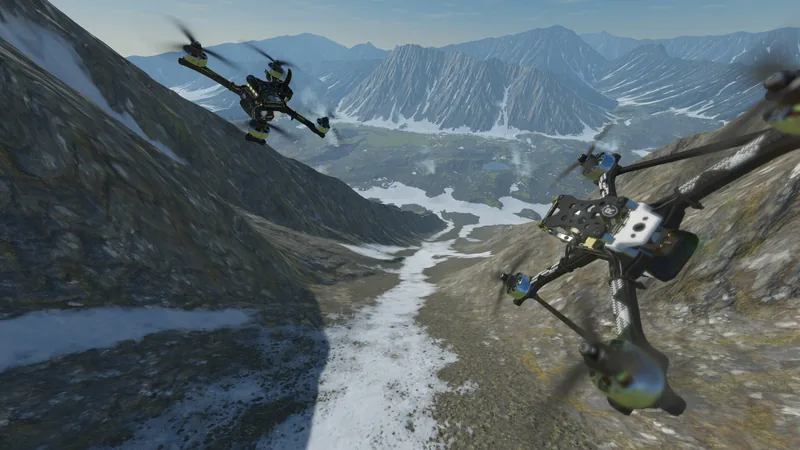
Drone simulator: learn to fly free, then pick an FPV drone simulator
Fly the free trainer below with a keyboard, a gamepad or your thumbs: three drills, a timer and a score. Then compare 16 drone simulators, free and paid, for PC, Mac, console and phone.
Free drone simulator online
Three drills every new pilot needs: hover in a box, fly a square with the nose forward, and land on a pad in a light wind. Each has a timer and a score out of 100. It is a practice toy, not a physics simulator: it teaches which stick does what, not how a real drone feels.
The practice field loads when you reach it.
Pick a drill and a drone, press Start, then fly with the keys below, a gamepad or two thumbs on the field.
Mode 2 on a keyboard, a gamepad or a phone
- Left stick
- W S throttle: up and down. A D yaw: turn the nose left and right.
- Right stick
- ↑ ↓ pitch: forward and back. ← → roll: slide left and right.
- Keys
- Click or tab to the field first. Enter starts, Space pauses, R starts over.
- Gamepad
- Plug it in and press any button: the left stick is throttle and yaw, the right stick pitch and roll, as on a Mode 2 radio.
- Radio
- A radio in USB joystick mode is read in AETR order: channel 1 roll, 2 pitch, 3 throttle, 4 yaw.
- Phone
- Press Start, then put two thumbs on the field: the left half is the left stick, the right half the right stick. Slide from the drawn stick's center.
Simple on purpose: no motors, props or batteries are modeled, the wind is a steady push with two slow gusts, and in FPV acro the keys, a gamepad or a thumb let the throttle spring back to half, which only just holds the height (on a real FPV radio it stays where you leave it). Nothing is stored, and your best score is forgotten when you leave the page.
The best drone simulator for PC, Mac, console or phone
16 drone simulators with a U.S. following, from free to $150: what each runs on, its U.S. price, the controller it takes and whether you can try it free. Prices were read on Nov 15, 2026; they change, and stores run sales, so check the store before you buy.
Which drone simulator for you
To learn to fly an FPV drone for free
FPV.SkyDive (Windows, Mac, Linux, iPhone and Android) or Real Drone Simulator (Windows). Both are free; see free drone simulators below.
For FPV racing and freestyle on a PC or Mac
Liftoff ($19.99), Uncrashed ($14.99), TRYP FPV ($16.99, still in Early Access), the DRL Sim ($9.99), FPV Freerider ($5.99) and CurryKitten ($1.99) on Steam; VelociDrone from its maker's shop, priced in pounds.
For tiny whoops
Liftoff: Micro Drones ($15.99). Tiny whoops are the small drones with guarded props that fly indoors.
On a PlayStation or Xbox
Liftoff: Drone Racing ($24.99) and the DRL Sim ($9.99), which has a free trial on PlayStation.
On a phone or tablet
VelociDrone ($7.99 on the App Store, $9.99 on Google Play), FPV.SkyDive (free) and FeelFPV (free, with ads).
For a DJI camera drone
DJI Simulator, free, flown with a DJI RC-N2 or RC-N3 remote controller.
For RC planes and helicopters as well as drones
RealFlight Evolution, with more than 300 aircraft ($69.99 on Steam).
For a drone school or a Part 107 class
Zephyr, built for schools and instructors: $150 for a personal license, $700 a seat each year for a business, with two weeks free.
Screenshots from each game's store page. Tap one to see it large.
16 drone simulators compared
U.S. prices read on each store's own page, Nov 15, 2026.
| Simulator | Runs on | Price (U.S.) | Controller | Free trial |
|---|---|---|---|---|
| Liftoff: FPV Drone Racingby LuGus Studios | Windows, Mac, Linux, PlayStation 4, Xbox | $19.99 Steam (PC, Mac) $24.99 PlayStation Store and Xbox store, as Liftoff: Drone Racing | Radio over USB or a gamepad; the maker says it needs one or the other | No |
| Liftoff: Micro Dronesby LuGus StudiosTiny whoop-size drones | Windows, Mac, Linux | $15.99 Steam | Radio over USB recommended by the maker; gamepads work | No |
| VelociDroneby Bat Cave Games | Windows, Mac, Linux, iPhone and iPad, Android | £16.99 PC and Mac license from the maker's shop (sold in pounds) $7.99 App Store $9.99 Google Play | Radio over USB; on phones touch sticks, or a radio over ExpressLRS Wi-Fi or Bluetooth | No |
| The Drone Racing League Simulatorby Drone Racing LeagueIn-game purchases | Windows, Mac, PlayStation 4, Xbox | $9.99 Steam $9.99 PlayStation Store and Xbox store | Radio over USB or a gamepad | Yes, on PlayStation |
| Uncrashed: FPV Drone Simulatorby Luminite | Windows, Mac | $14.99 Steam | Radio over USB highly recommended by the maker; gamepads work | No |
| TRYP FPV: Drone Racer Simulatorby Undead BatteryEarly Access: still in development | Windows, Mac | $16.99 Steam, Early Access | Radio over USB recommended by the maker | No |
| FPV.SkyDiveby Orqa | Windows, Mac, Linux, iPhone and iPad, Android | Free Steam, App Store and Google Play $10.99 Paid add-ons on Steam, such as Flight School | Radio over USB, PlayStation and Xbox gamepads, Orqa's own FPV.Ctrl | Free to play |
5 more: Real Drone Simulator, FPV Freerider, CurryKitten FPV Simulator, FeelFPV and DJI Virtual Flight
| Simulator | Runs on | Price (U.S.) | Controller | Free trial |
|---|---|---|---|---|
| Real Drone Simulatorby the RDS projectGame modes: free flight, time trial and racing, with a custom map editor | Windows, Android (experimental, from its own site) | Free from its own site, for personal use | Most RC transmitters, game controllers, or touch on Android | Free |
| FPV Freeriderby John Holmvall, published by Jord&Eld | Windows, Mac | $5.99 Steam $9.99 FPV Freerider Recharged, Steam | Radio over USB (the store page names FrSky, Spektrum, RadioMaster and DJI FPV), Xbox and PlayStation gamepads | No |
| CurryKitten FPV Simulatorby Wayne Andrews (CurryKitten) | Windows, Mac, Linux | $1.99 Steam | A basic gamepad is enough to learn on, the maker says; radios work too | No |
| FeelFPVby David Hanus | iPhone and iPad, Android | Free, with ads and in-app purchases App Store and Google Play | Touch sticks, a gamepad or a radio | Free to play |
| DJI Virtual Flightby DJIFor the original DJI FPV system; DJI ended its maintenance on March 21, 2024 | iPhone and iPad | Free, with in-app purchases App Store | DJI FPV Goggles V2 with the FPV Remote Controller 2 or the Motion Controller | Free |
| Simulator | Drones | Runs on | Price (U.S.) | Controller | Free trial |
|---|---|---|---|---|---|
| DJI Simulatorby DJIBasic courses and scenic flights; you fly a Mini 5 Pro, Air 3S, Lito or Lito X1 | Camera drone (GPS) | iPhone and iPad, Android (from DJI's download page) | Free App Store; Android version from DJI | Needs a DJI RC-N2 or RC-N3 remote controller; no on-screen sticks yet | Free |
| DJI Flight Simulator (PC)by DJI EnterpriseWe could not confirm on DJI's own pages that it is still sold; some resellers list it as discontinued | Camera drone (GPS) | Windows | Not listed No price on DJI's own pages | DJI remote controllers | Not confirmed |
| RealFlight Evolutionby Horizon HobbyMore than 300 aircraft: planes, helicopters and drones | RC planes, helicopters and drones | Windows | $69.99 Steam $99.99 Horizon Hobby store, software alone $199.99 Horizon Hobby store, with the Spektrum InterLink DX controller $39.99 RealFlight Trainer Edition, Steam | An RC radio through an interface, the InterLink DX, or any 4-axis game controller | No |
| Zephyrby Little Arms StudiosBuilt for drone schools and instructors | Camera drones and FPV | Windows 11, macOS 15 or later | $150 Personal license, one payment, no term stated $700 Business license, per seat per year, 5 seats or more | Radios (FlySky, OpenTX and Taranis, RadioMaster T8, Spektrum InterLink DX), Xbox, PlayStation, Switch Pro and Logitech gamepads; of DJI's, only the FPV Remote Controller 2 and 3 | Yes, two weeks free |
Prices change
Every price here is the U.S. list price on the store's own page, read Nov 15, 2026. Steam, the console stores and the app stores run sales, and makers raise prices. The store's page on the day you buy is the one that counts.
Steam refunds
Nine of them are on Steam: Liftoff, Liftoff: Micro Drones, Uncrashed, TRYP FPV, the DRL Sim, FPV Freerider, CurryKitten, FPV.SkyDive and RealFlight Evolution. Steam refunds a game bought within the last two weeks and played less than two hours, which makes it cheap to try one with your own radio. In-game purchases are a different matter: in games Valve did not make, Steam generally does not refund them unless the game's developer opts in.
How the table was made
Each row comes from the maker's or the store's own page: the platforms, the price, the controllers the maker names and whether there is a trial. Where a maker's page says nothing, the table says so.
Free drone simulators: FPV.SkyDive, Real Drone Simulator and more
Yes, there are free drone simulators: the trainer on this page runs online with no download, and FPV.SkyDive, Real Drone Simulator and FeelFPV are free FPV drone simulators to download. For a DJI camera drone, DJI Simulator is free.
Drone simulator online, free, no download
The trainer at the top of this page is the only one here that runs in a browser: every simulator in the table is a download. It is free, needs no account and keeps nothing. It is enough to learn which stick does what in Mode 2, and to feel the difference between a camera drone that holds its spot and an FPV drone in acro mode that does not.
FPV.SkyDive
FPV.SkyDive, from the FPV maker Orqa, is free to play on Steam (Windows, Mac and Linux), the App Store and Google Play. It takes a radio over USB, PlayStation and Xbox gamepads and Orqa's own FPV.Ctrl. On Steam, paid add-ons go further, such as the Flight School at $10.99.
Real Drone Simulator
Real Drone Simulator is free for personal use, its makers say, on Windows; an Android version, which they call experimental, is a download from its own site. Its game modes are free flight, time trial and racing, it has a custom map editor, and its drones are based on existing drones and parts. It takes most RC transmitters and game controllers, or touch on Android.
FeelFPV, and the free trials
FeelFPV is free on the App Store and Google Play, with ads and in-app purchases, and flies with touch sticks, a gamepad or a radio. Two paid simulators can be tried before you pay: the DRL Sim has a trial on PlayStation, and Zephyr gives two weeks free.
Free drone simulators from DJI
DJI Simulator is free on the App Store, and DJI offers the Android version on its own download page. It needs a DJI RC-N2 or RC-N3 remote controller. DJI Virtual Flight, free with in-app purchases on iPhone and iPad, is for the original DJI FPV system, and DJI ended its maintenance on March 21, 2024. More on both below.
Free drone simulator for PC
On Windows: FPV.SkyDive and Real Drone Simulator, both free. FPV.SkyDive runs on a Mac and on Linux too.
Why learn to fly in a drone simulator first
A crash in a simulator costs nothing and takes a second to undo. That matters most for an FPV drone flown in acro mode, which does not level itself. No U.S. rule asks for simulator time: Part 107 asks for a knowledge test, not flight hours.
A crash costs nothing
In a simulator, a crash is a key press: reset and try again, a hundred times an evening. With a real drone, every crash can mean broken propellers, a cracked frame or camera, a walk to find it, and a drone that cannot fly until it is fixed. Worse, a drone out of control can hurt someone. Flying the same move again and again until your thumbs know it is what a simulator does best.
FPV acro mode does not forgive
A camera drone with GPS flies itself between your inputs: let go of the sticks and it stops, levels out and holds its spot and height. An FPV drone in acro mode, the mode for racing and freestyle, does none of that. It keeps turning at the rate your stick asks for, holds whatever angle you leave it at, and needs throttle the whole time. Getting started with FPV means learning to fly that way, and a simulator lets you learn it before a crash costs anything.
Try it in the trainer above: fly the square as a camera drone, then switch to FPV acro and fly it again.
Part 107 does not require a simulator
To fly for work under Part 107 you need the FAA's remote pilot certificate. The FAA asks for a knowledge test, and nothing about flight hours, a flying test or simulator time. Flying for fun, you pass TRUST, the FAA's free online Recreational UAS Safety Test; it is also a test of knowledge, not of flying. The skill of flying is yours to build, and a simulator is the cheapest place to start.
The exact rule
Pass an initial aeronautical knowledge test covering the areas of knowledge specified in § 107.7314 CFR 107.61(d)(1), Eligibility for a remote pilot certificate (eCFR)
What it means: the eligibility rule for a remote pilot certificate asks for an age of at least 16, English, no known condition that would get in the way of flying safely, and this knowledge test (or, for holders of a pilot certificate, training under 107.61(d)(2)). It names no flight hours and no practical flight test.
The operator has passed an aeronautical knowledge and safety test described in subsection (g) and maintains proof of test passage to be made available to the Administrator or law enforcement upon request.49 U.S.C. 44809(a)(7), Exception for limited recreational operations of unmanned aircraft
What it means: flying for fun, you pass TRUST and keep the proof to show on request. No flying skill is tested.
What a sim cannot teach
Real wind, a weak GPS signal, a battery that sags in the cold, and the rules of the place where you stand. Practice the sticks at home; learn the rest with a real drone, small and slow.
Before the first real flight
Can I fly here? checks a spot for no-fly zones, airspace, the 400 ft ceiling, wind and daylight.
Can I fly here?Which controller to use with an FPV drone simulator
Use the radio you will fly your FPV drone with, plugged in over USB: the same sticks, springs and switches, so what your thumbs learn carries over. A gamepad works to start; touch sticks on a phone are the least like the real thing.
A radio over USB
A radio can act as a game controller. On one that runs EdgeTX, plug in the USB cable and choose USB Joystick: the computer then sees a joystick, and the simulator reads its sticks. EdgeTX's manual describes two ways: in Classic mode the radio sends its output channels in numerical order, and in Advanced mode you choose what each channel is. Then set the axes in the simulator's controller settings, move each stick to its ends, and check that throttle, yaw, pitch and roll move the right way.
Liftoff says it needs a radio or a gamepad; Uncrashed's maker highly recommends a radio, and TRYP FPV's and Liftoff: Micro Drones' makers recommend one. Two makers name the radios they read: Zephyr lists FlySky, OpenTX and Taranis radios, the RadioMaster T8 and the Spektrum InterLink DX, and FPV Freerider's store page names FrSky, Spektrum, RadioMaster and DJI FPV.
What to look for in a radio
- Mode 2, throttle and yaw on the left stick: the default on DJI's controllers and the layout this trainer uses.
- A throttle stick that stays where you leave it, as FPV radios have. A gamepad's springs pull the throttle back to the middle, which is fine for a camera drone and wrong for acro.
- A USB port and a joystick mode, so it plugs straight into a computer. On phones, VelociDrone can also read a radio over ExpressLRS Wi-Fi or Bluetooth.
- The radio you will fly with, or the one in the kit you plan to buy. Practicing on the same sticks is the whole point.
A gamepad, and DJI controllers
A PlayStation or Xbox gamepad is the cheap start, and the trainer on this page reads one too. CurryKitten's maker says a basic gamepad is enough to learn on. DJI controllers are a special case: DJI Simulator needs an RC-N2 or RC-N3; of DJI's controllers, Zephyr reads only the FPV Remote Controller 2 and 3; and DJI Virtual Flight takes the FPV Remote Controller 2 or the Motion Controller, with DJI FPV Goggles V2.
How to set rates in an FPV drone simulator
Rates set how fast the drone turns for each stick position, in degrees per second. Start low while you learn, raise them as your thumbs get smooth, and use the same numbers in the simulator and on your real drone so both feel alike.
Betaflight, flight-controller software for FPV drones, calls a rate model “the mathematics used to transform the stick position to a turn rate in deg/s”. Since Betaflight 4.3 the default model is Actual rates, with three numbers:
- Center sensitivity, in degrees per second: how fast the drone turns for small moves near the middle of the stick;
- Max rate, in degrees per second: how fast it turns at full stick;
- Expo, which bends the curve between the two, “without affecting center or max rates”.
Betaflight's guide gives the styles: racers usually want a more linear curve with a max rate of about 550 to 650 degrees per second; freestyle pilots pair a soft center with a high max, about 850 to 1,200; cinematic flying keeps the center flatter still, for smooth footage.
Setting rates, step by step
- If your simulator lets you choose the rate model, pick the one your flight controller uses (Actual on Betaflight 4.3 and later, unless you changed it).
- Start with a low max rate and a soft center, so a full stick turns you slowly and small corrections stay small.
- Raise the max rate when flips and rolls feel too slow, not before.
- Type the same numbers into your real drone's flight controller, so the sim and the drone feel the same.
The trainer's Rates setting, shown in FPV acro, is far gentler than a real FPV drone: 90, 150 or 240 degrees per second at full stick, for learning to fly the drills, not for flips.
One rule of thumb
If the drone feels twitchy, lower the center sensitivity or add expo. If it feels slow at full stick, raise the max rate. Change one number at a time.
A drone simulator for DJI and other camera drones
For a DJI camera drone, DJI Simulator is free and flies with the RC-N2 or RC-N3 remote controller of your drone. Most other simulators are built for FPV; Zephyr and RealFlight Evolution also cover camera drones.
DJI Simulator
DJI Simulator offers basic courses and scenic flights, and you fly a Mini 5 Pro, an Air 3S, a Lito or a Lito X1. It is free on the App Store (version 1.4.1 when we read it), and DJI offers the Android version on the download page for the Mini 5 Pro. It needs a DJI RC-N2 or RC-N3 remote controller: there are no on-screen sticks yet.
DJI Virtual Flight and DJI Flight Simulator
DJI Virtual Flight, on iPhone and iPad, is for the original DJI FPV system, with DJI FPV Goggles V2 and the FPV Remote Controller 2 or the Motion Controller; DJI ended its maintenance on March 21, 2024. DJI Flight Simulator, the Windows program from DJI Enterprise, has no price on DJI's own pages, and we could not confirm there that it is still sold; some resellers list it as discontinued.
Zephyr and RealFlight
Zephyr, from Little Arms Studios, is built for drone schools and instructors and covers camera drones and FPV. It runs on Windows 11 and macOS 15 or later: $150 for a personal license, paid once, or $700 a seat each year for a business with five seats or more, after two weeks free. RealFlight Evolution, from Horizon Hobby, flies more than 300 aircraft: planes, helicopters and drones. It costs $69.99 on Steam, $99.99 in the Horizon Hobby store for the software alone, or $199.99 with Spektrum's InterLink DX controller; the RealFlight Trainer Edition is $39.99 on Steam.
A camera drone is the easier one to learn on, because GPS holds it still when you let go. Fly the trainer above as a Camera drone (GPS), then follow the first-flight steps for a real drone.
From the simulator game to a real FPV drone
When you can hover, fly a square with the nose forward and land softly in the sim, move to a real drone: a small one first, in a big open field, with someone beside you watching it.
-
The trainer
Pass the drills
Both dronesFly the three drills above as a camera drone and in FPV acro until you score well without thinking about the sticks. Then do the same in a full simulator, on your own radio.
-
TRUST
Take the test
TRUST or Part 107Flying for fun, pass TRUST, free and online. Flying for work, earn the Part 107 certificate. Neither tests your flying, so the sim time is your own.
-
Best FPV drones
Start small
A whoop or a kitA tiny whoop or a starter kit forgives the first crashes. Pick one by a clear criterion, with the radio you practiced on if you can.
-
Copy your rates
Same numbersPut the rates you flew in the sim on the drone's flight controller, so the real thing feels like what you practiced.
-
What is FPV?
Bring a watcher
Goggles onWith goggles on you cannot see the drone itself. Flying for fun, the law asks for a visual observer next to you who can; under Part 107, goggles do not meet the line-of-sight rule either.
The exact rule
The aircraft is flown within the visual line of sight of the person operating the aircraft or a visual observer co-located and in direct communication with the operator.
49 U.S.C. 44809(a)(3), Exception for limited recreational operations of unmanned aircraftWhat it means: the FAA's guidance for recreational flyers says, “The use of a VO is necessary if the recreational flyer wants to use first person view (FPV) devices” (AC 91-57D, 2.2.3.1). A VO is a visual observer, standing next to you.
-
First flight
Fly low and slow
Open fieldThe first flights repeat the drills: take off, hover a few feet up, fly a slow square, land. Check the place first, then follow the first-flight steps.
Getting started with FPV
FPV, first-person view, means flying through a camera on the drone, on a screen or in goggles. FPV drones come in kinds: tiny whoops for indoors, cinewhoops for smooth video, 5-inch freestyle and racing drones, and ready-to-fly kits with goggles and a radio in the box. The FPV drones hub covers the kinds and the picks, and What is FPV? explains the goggles, the video link and the rules in plain words.
Start in a simulator game, and go back to it to practice a new move before you try it for real: a crash there teaches the same lesson as a real one, for free.
Related guides and tools
A simulator is the first step. These cover the drone, the rules and the first real flight.
Drone simulator questions and answers
Is there a free drone simulator?
Yes. The trainer on this page is free online, with no download. To download: FPV.SkyDive (Windows, Mac, Linux, iPhone, Android), Real Drone Simulator (free for personal use, Windows and an experimental Android version) and FeelFPV (iPhone and Android, with ads) are free FPV simulators, and DJI Simulator is free for DJI camera drones with an RC-N2 or RC-N3.
How much does a drone simulator cost?
From free to $150. On Steam in the U.S., the FPV simulators in the table cost $1.99 to $19.99 (Nov 15, 2026); Liftoff on PlayStation and Xbox is $24.99. RealFlight Evolution is $69.99 on Steam, and Zephyr's personal license is $150, or $700 a seat each year for a business. Stores run sales, and prices change.
What is the most realistic drone simulator?
No independent test ranks simulators by realism, so any “most realistic” is an opinion. What makes an FPV drone simulator feel close to the real thing is mostly in your hands: your own radio over USB, the same rates as your drone, and a drone in the sim like yours (a whoop, a 5-inch, a camera drone). Try a free one, then a paid one on Steam, which refunds a game bought within two weeks and played less than two hours.
How much does a flying simulator cost?
For RC aircraft, RealFlight Evolution flies planes, helicopters and drones: $69.99 on Steam, $99.99 for the software alone from Horizon Hobby, or $199.99 with Spektrum's InterLink DX controller. The RealFlight Trainer Edition is $39.99 on Steam. Drone simulators alone cost less: see the table.
Do I need a simulator for Part 107?
No. The FAA's remote pilot certificate asks for a knowledge test, not flight hours or a flying test (14 CFR 107.61), and TRUST, for flying for fun, is a knowledge test too. A simulator is for your own skill, not for the FAA.
Can I use my DJI controller with a drone simulator?
With some. DJI Simulator needs a DJI RC-N2 or RC-N3. Zephyr reads DJI's FPV Remote Controller 2 and 3 and no other DJI controller. FPV Freerider's store page names DJI FPV among the radios it reads, and DJI Virtual Flight works with the FPV Remote Controller 2 or the Motion Controller.
Is there a drone simulator for Mac?
Yes, many: Liftoff, Liftoff: Micro Drones, VelociDrone, the DRL Sim, Uncrashed, TRYP FPV, FPV.SkyDive, FPV Freerider, CurryKitten and Zephyr (macOS 15 or later) all run on a Mac. Real Drone Simulator (Windows and Android) and RealFlight Evolution (Windows) do not run on a Mac.
Can I play a drone simulator on PlayStation or Xbox?
Yes: Liftoff: Drone Racing ($24.99) and The Drone Racing League Simulator ($9.99, with a trial on PlayStation) are on both. Check the console store's page for the controllers it takes.
Is there a drone simulator for iPhone or Android?
Yes: VelociDrone ($7.99 on the App Store, $9.99 on Google Play), FPV.SkyDive (free), FeelFPV (free, with ads) and, for DJI drones, DJI Simulator (free, with an RC-N2 or RC-N3). VelociDrone on a phone can read a radio over ExpressLRS Wi-Fi or Bluetooth.
Gamepad or radio: which is better for a drone simulator?
A radio, if you will fly FPV: it is what you will hold, and its throttle stays where you leave it. A gamepad is fine to try a simulator and to learn a camera drone, whose throttle springs back to the middle too.
How long should I practice in a simulator before flying FPV?
No rule sets a number of hours. A good sign you are ready: you can hover, fly a square with the nose forward and land softly without thinking about which stick does what, in acro, and you can recover from a mistake instead of crashing. Then start small, in an open field.
Is the trainer on this page a real drone simulator?
No: it is a practice toy for the sticks, drawn from above, with a simple model of flight. It shows how Mode 2 works and how a camera drone and an FPV drone in acro mode differ, but no motors, props, batteries or real air. For that, use one of the simulators in the table.
Sources
Named, not linked. Read Nov 15, 2026.
Simulators and prices
- Steam store page, U.S.: Liftoff: FPV Drone Racing, Liftoff: Micro Drones, The Drone Racing League Simulator, Uncrashed: FPV Drone Simulator, TRYP FPV: Drone Racer Simulator, FPV.SkyDive, CurryKitten FPV Simulator
- PlayStation Store, U.S.: Liftoff: FPV Drone Racing, The Drone Racing League Simulator
- Microsoft Store, U.S.: Liftoff: FPV Drone Racing, The Drone Racing League Simulator
- VelociDrone shop: VelociDrone
- App Store, U.S.: VelociDrone, FPV.SkyDive, FeelFPV, DJI Virtual Flight
- Google Play, U.S.: VelociDrone, FPV.SkyDive, FeelFPV
- Real Drone Simulator site: Real Drone Simulator
- Steam store pages, U.S.: FPV Freerider, RealFlight Evolution
- App Store, U.S. (version 1.4.1): DJI Simulator
- DJI download page for the Mini 5 Pro: DJI Simulator
- DJI download center: DJI Virtual Flight
- DJI's own pages, searched 2026-11-15: DJI Flight Simulator (PC)
- Horizon Hobby store: RealFlight Evolution
- Zephyr pricing page: Zephyr
- Zephyr supported controllers page: Zephyr
- Zephyr system requirements page: Zephyr
Controllers, rates and refunds
- EdgeTX user manual, USB Joystick: Classic and Advanced modes
- Betaflight, Rate Calculator guide: rate models, Actual rates, the ranges for racing and freestyle
- Steam, refunds page: two weeks, less than two hours of playtime; in-game purchases
The rules
- 14 CFR 107.61, Eligibility (eCFR): the knowledge test for a remote pilot certificate
- 49 U.S.C. 44809(a)(3) and (a)(7), Exception for limited recreational operations of unmanned aircraft
- FAA Advisory Circular 91-57D, paragraph 2.2.3.1: a visual observer for FPV flying for fun