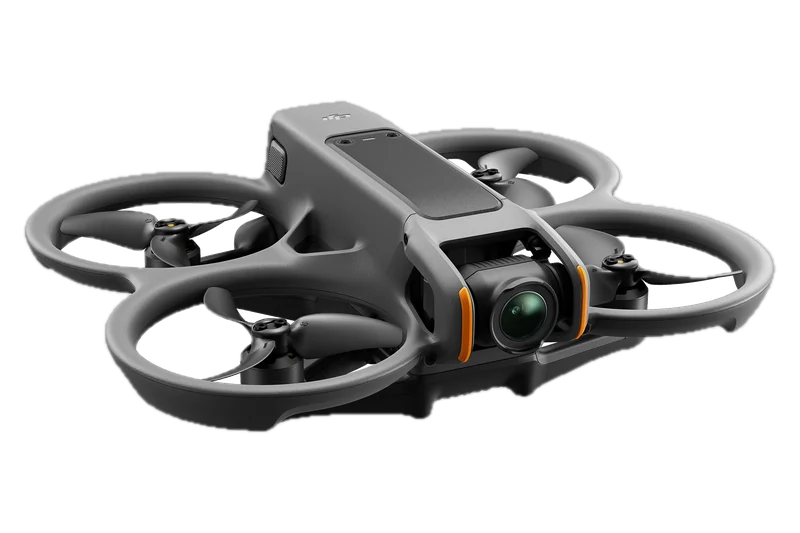
DJI Avata 2
DJI's latency and range figures for the goggles are with the Avata 2. It flies with the RC Motion 3 or the DJI FPV Remote Controller 3.
24 ms · 8.1 mi (FCC)
Its page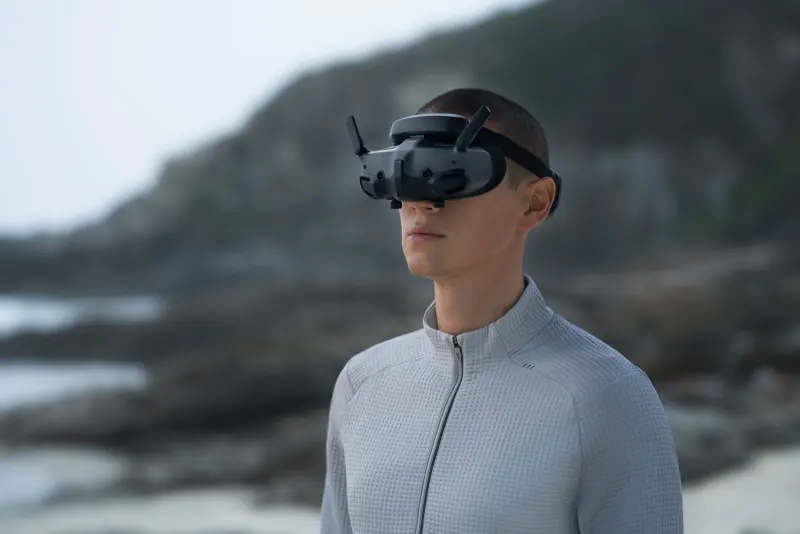
DJI's FPV goggles with two 0.49-inch Micro-OLED screens, built-in diopter adjustment and Real View PiP, at about 470 g with the battery in the headband. They work with the Avata 2, Neo, Air 3, Mini 4 Pro and DJI's O3 and O4 air units, and by firmware with the Neo 2 and Avata 360. DJI's U.S. page marks them not for sale.
DJI Goggles 3 have two screens and low-latency video transmission for use with DJI aircraft, for a live first-person view.
The figures that decide which goggles you wear, from DJI's own U.S. specs page, FAQ and product page, read November 14, 2026.
DJI's lowest latency is measured with the DJI Avata 2 at 1080p/100fps, in an open outdoor environment without interference, and DJI says it varies with the aircraft; at 1080p/60fps it gives 40 ms. The 8.1 mi (13 km) range is with the Avata 2 under FCC rules, and the aircraft's own maximum flight distance limits it. The 3 hours are measured at 77 °F (25 °C), at brightness 4, with the Avata 2 at 1080p/100fps, Head Tracking and Real View off, the goggles' battery fully charged and not powering other devices such as a phone. DJI's 470 g is with the battery, which is built into the headband.
Goggles do not count as seeing the drone, so with them on, a visual observer must watch it: next to you when you fly for fun, and throughout the flight under Part 107.
Flying for fun, the law and the FAA's guidance call for a visual observer next to you when you fly with goggles (49 U.S.C. 44809(a)(3) and AC 91-57D). Under Part 107, the pilot and the person at the controls must be able to see the drone throughout the flight, and goggles do not satisfy that (14 CFR 107.31 and AC 107-2A). DJI's own manual says using the goggles “does not satisfy the requirement of visual line of sight (VLOS)”. The three rules, each in its own words: What is FPV?
A visual observer next to you. With the goggles on, the observer is the one who sees the drone, and stays where you can talk to each other.
ObserverThe use of a VO is necessary if the recreational flyer wants to use first person view (FPV) devicesFAA Advisory Circular 91-57D · 49 U.S.C. 44809(a)(3)
What it means: the law keeps a recreational drone in sight of the operator or of a visual observer “co-located and in direct communication with the operator”; with the goggles on, that is the observer.
Goggles do not count as sight. The pilot, the person at the controls and any visual observer must be able to see the drone, and someone must keep it in sight throughout the flight.
In sightFirst person view devices may be used during operations, but do not satisfy the VLOS requirementFAA Advisory Circular 107-2A · 14 CFR 107.31
What it means: under 14 CFR 107.31 the visual observer, or the pilot together with the person at the controls, must see the drone throughout the flight; with the goggles on, that is the observer.
DJI says the same. Its Goggles 3 manual says the goggles do not satisfy visual line of sight, and that some regions require a visual observer.
VLOSdoes not satisfy the requirement of visual line of sight (VLOS)DJI Goggles 3 User Manual v1.0 (May 2024)
Goggles change who must watch the drone, not where you may fly it. Where you may fly depends on the place, the hour and the airspace, and as the pilot you are responsible for knowing where it is and is not safe to fly. Our flight check takes a place and a drone and returns one verdict with its reasons: no-fly zones, airspace, the ceiling, wind and daylight.
Check where you can fly itTwo 0.49-inch Micro-OLED screens at 1920 × 1080 and up to 100 Hz, built-in diopters from −6.0 D to +2.0 D, two front cameras for Real View, and DJI O4 video at down to 24 ms with the Avata 2.
Every figure DJI gives for the goggles, grouped as DJI groups them, with the document it comes from where that is not the U.S. specs page. The text under the table says what the figures mean in use, still in DJI's words.
| Model | TKGS3 |
|---|---|
| Weight | About 470 g (16.6 oz), battery included |
| Weight, product page wording | 470 g (16.6 oz); the battery is integrated with the headbandSource: DJI Goggles 3 product page (U.S.) |
| Dimensions, antennas folded | 6.69 × 4.29 × 4.41 in (170 × 109 × 112 mm) |
| Dimensions, antennas unfolded | 8.07 × 4.29 × 4.41 in (205 × 109 × 112 mm) |
| Operating temperature | 14 to 104 °F (−10 to 40 °C) |
| Storage | microSD up to 512 GB |
| Screens | Two screensSource: DJI Goggles 3 User Manual v1.0 (2024-05) |
|---|---|
| Screen material | Micro-OLEDSource: DJI Goggles 3 product page (U.S.) |
| Max screen brightness | 700 nitsSource: DJI Goggles 3 product page (U.S.) |
| Screen dynamic range | 50000:1Source: DJI Goggles 3 product page (U.S.) |
| Screen size (single screen) | 0.49 inch |
| Resolution (single screen) | 1920 × 1080 |
| Refresh rate | Up to 100 Hz |
| Refresh rate behaviour | Follows the video frame rate; may switch between 100 Hz and 60 HzSource: DJI Goggles 3 product page (U.S.) |
| Field of view (single screen) | 44° |
| Interpupillary distance range | 2.20-2.83 in (56-72 mm) |
| Diopter adjustment range | −6.0 D to +2.0 D |
| Corrective lenses in the box | −2.0 D lenses and frames included for users outside the built-in range; astigmatism lenses from an opticianSource: DJI Goggles 3 FAQ (U.S.) |
| Goggles Defog | Setting that runs the cooling fan at high speed to reduce lens foggingSource: DJI Goggles 3 User Manual v1.0 (2024-05) |
| Real View | Two front cameras show the surroundings without taking the goggles off; 2D or 3DSource: DJI Goggles 3 User Manual v1.0 (2024-05) |
|---|---|
| Real View FOV | 44° |
| Real View PiP | Flight live view in the upper left corner of the Real View image; not available with 3D Real View; DJI: do not rely on it for flightSource: DJI Goggles 3 User Manual v1.0 (2024-05) |
| System | With DJI Avata 2: DJI O4; the goggles select the firmware that matches the aircraft |
|---|---|
| Latency, 1080p/100fps (with Avata 2) | Down to 24 ms |
| Latency, 1080p/60fps (with Avata 2) | Down to 40 ms |
| Latency conditions | Measured in an open outdoor environment without interference; varies with aircraft model |
| Max transmission distance (with Avata 2) | 8.1 mi (13 km) under FCC rules; 6.2 mi (10 km) under CE/SRRC/MIC |
| Max video bitrate | 60 Mbps |
| O4 antenna design | 2 transmitters, 4 receivers, 6 antennas; picks 2.4 GHz or 5.8 GHz by signalSource: DJI Goggles 3 product page (U.S.) |
| Operating frequency | 2.4000-2.4835 GHz; 5.150-5.250 GHz; 5.725-5.850 GHz |
| Analog video | Not supportedSource: DJI Goggles 3 FAQ (U.S.) |
| Recording format | MOV |
|---|---|
| Screen recording | 1920 × 1080, max 60fps; above 60fps camera setting the recording runs at half the camera frame rateSource: DJI Goggles 3 FAQ (U.S.) |
| Playback formats | MP4, MOV (H.264, H.265; AAC, PCM); spherical 2D panoramic; 3D HSBS, FSBS, HOU, FOU; max 4K/60fps |
| OSD | Cannot be turned offSource: DJI Goggles 3 FAQ (U.S.) |
| Wi-Fi | 802.11 a/b/g/n/ac |
|---|---|
| Bluetooth | Bluetooth 5.0 |
| Live feed sharing | To the DJI Fly app over Wi-FiSource: DJI Goggles 3 FAQ (U.S.) |
| Wireless Streaming range | Up to 16.4 ft (5 m) to a phone; Wi-Fi sharing unavailable where 5.8 GHz is not allowedSource: DJI Goggles 3 product page (U.S.) |
| HDMI | No HDMI port; no direct HDMI input or outputSource: DJI Goggles 3 FAQ (U.S.) |
| Audio | No speaker; USB-C headphones or adapters with built-in DAC onlySource: DJI Goggles 3 User Manual v1.0 (2024-05) |
| Flight simulators | Not supportedSource: DJI Goggles 3 FAQ (U.S.) |
| Head tracking | Supported; needs DJI RC Motion 3Source: DJI Goggles 3 FAQ (U.S.) |
| AR Cursor | With DJI RC Motion 3, used as a cursor for the menusSource: DJI Goggles 3 product page (U.S.) |
| Capacity | 3000 mAh |
|---|---|
| Energy | 21.6 Wh |
| Type | Li-ion (LiNiMnCoO2) |
| Battery dimensions | 4.76 × 2.56 × 2.07 in (121 × 65 × 52.5 mm) |
| Max charging power | 20 W (charging when powered off) |
| Runtime | About 3 hours |
| Runtime conditions | 77 °F (25 °C), brightness 4, with Avata 2 at 1080p/100fps, Head Tracking off, Real View off, not powering other devices |
| Latest firmware | v01.00.1600, dated October 20, 2026; the note says it fixes known issuesSource: DJI Goggles 3 Release Notes |
|---|
53 figures, from DJI's Goggles 3 specs page (U.S.) unless a row names another DJI document. Data read November 14, 2026.
Tap a photo to see it large.
The display is two 0.49-inch Micro-OLED screens, 1920 × 1080 each, at up to 100 Hz, with a 44° field of view per screen; DJI's product page gives a maximum brightness of 700 nits and a 50000:1 dynamic range. The refresh rate follows the video frame rate and may switch between 100 Hz and 60 Hz. DJI says the goggles hold a TÜV Rheinland Low Blue Light certification; we did not read the certificate.
Built-in diopter adjustment runs from −6.0 D to +2.0 D, so inside that range glasses are not needed in the goggles, and the interpupillary distance adjusts from 2.20 to 2.83 in (56 to 72 mm). Outside the built-in range, the included −2.0 D lenses and frames extend it; for astigmatism, DJI says to get lenses from an optician and fit them in the frames. With the −2.0 D lenses fitted, the diopter value on the screen is not the actual value: the actual value is the on-screen value plus −2.0 D. DJI's example for lenses you buy yourself: with −9.0 D glasses, buy −3.0 D lenses and set the goggles to −6.0 D. DJI advises setting the diopter slightly below your glasses' strength at first, and never above it.
Two cameras on the front let you see your surroundings without taking the goggles off, in 2D or 3D, with a 44° Real View field of view. Real View PiP puts the drone's live view in the upper left corner of the Real View image; it does not work with 3D Real View, and DJI says not to rely on it for flight. A double tap on the right-side panel switches between the menu and the Real View image, with the flight feed kept in the upper left corner.
The goggles switch firmware to match each aircraft's video system; with the Avata 2 the system is DJI O4. O4 video transmission in the Goggles 3 uses 2 transmitters, 4 receivers and 6 antennas, and picks 2.4 GHz or 5.8 GHz by signal. With the Avata 2, DJI gives a latency down to 24 ms at 1080p/100fps and 40 ms at 1080p/60fps, a maximum video bitrate of 60 Mbps, and a range of 8.1 mi (13 km) under FCC rules. With the DJI Neo 2, DJI's specs page for Canada lists live view up to 1080p/100fps and a lowest latency of 50 ms with the Goggles 3, against 1080p/60fps and 54 ms with the Goggles N3, measured in an open, interference-free setting. The goggles take no analog video, work with no flight simulators and have no HDMI port.
The goggles record what their screens show at 1920 × 1080, at up to 60fps; above a 60fps camera setting they record at half the camera's frame rate, and the on-screen display (OSD) cannot be turned off. The live feed can be shared to the DJI Fly app over Wi-Fi: with the goggles connected to a phone, the Avata 2's feed shows in the DJI Fly app up to 16.4 ft (5 m) away. Where 5.8 GHz is not available, Wi-Fi sharing is not available, and DJI recommends a cable.
The battery is a 3000 mAh, 21.6 Wh Li-ion pack that charges at up to 20 W when the goggles are powered off. It sits in a compartment on the headband, worn at the upper back of the head, and its wires run inside the headband; DJI's product page calls this “Battery and Headband Integration” and gives the goggles 470 g.
DJI lists Real View PiP and an integrated forehead pad as the Goggles 3's upgrades over the Goggles 2 and the Goggles Integra, and says the Goggles 3 and Goggles 2 are similar in size and screen performance, with better video transmission on the Goggles 3. DJI's product page calls its fog setting “One-Tap Defogging”: the internal fan speeds up to maximum to keep the lenses clear. In the goggles' menu the setting is Goggles Defog, and it runs the cooling fan at high speed to reduce lens fogging.
Head tracking works, but it needs the DJI RC Motion 3. With the RC Motion 3, the controller also works as an AR Cursor for the goggles' menus. DJI's Avata 2 FAQ says that with the Goggles 3 or the Goggles N3, the Avata 2 supports only the RC Motion 3 and the DJI FPV Remote Controller 3.
Six drones and DJI's O3 and O4 air units: the Avata 2, Air 3, Mini 4 Pro, Neo, Neo 2 and Avata 360, once the aircraft, the goggles and the controller run the latest firmware.
DJI's latency and range figures for the goggles are with the Avata 2. It flies with the RC Motion 3 or the DJI FPV Remote Controller 3.
24 ms · 8.1 mi (FCC)
Its page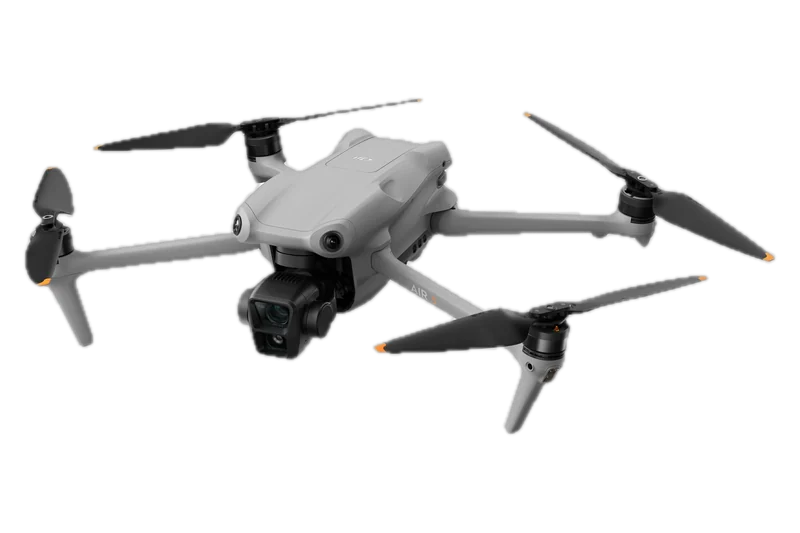
Since April 11, 2024, with the RC Motion 3, the RC 2 or the RC-N2; no intelligent flight modes in the goggles, and video at 4K/60fps or 1080p/60fps.
Goggles firmware v01.00.0100
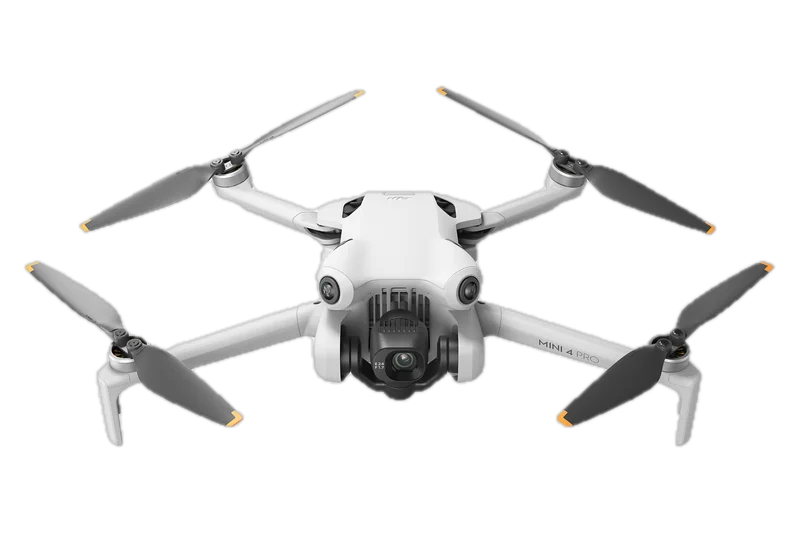
Since April 11, 2024, as for the Air 3: one control device at a time, no intelligent flight modes in the goggles, and video at 4K/60fps or 1080p/60fps.
Goggles firmware v01.00.0100
Its page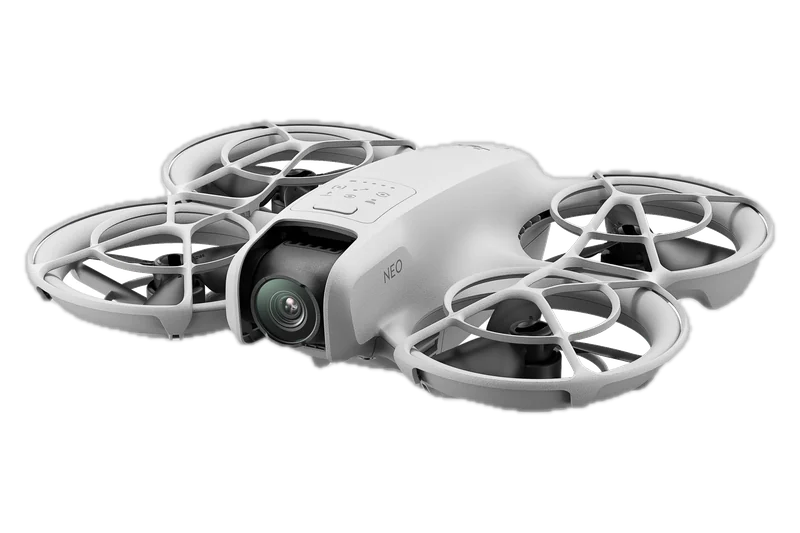
Since September 5, 2024, with the RC Motion 3 or the DJI FPV Remote Controller 3.
Goggles firmware v01.00.0400
Its page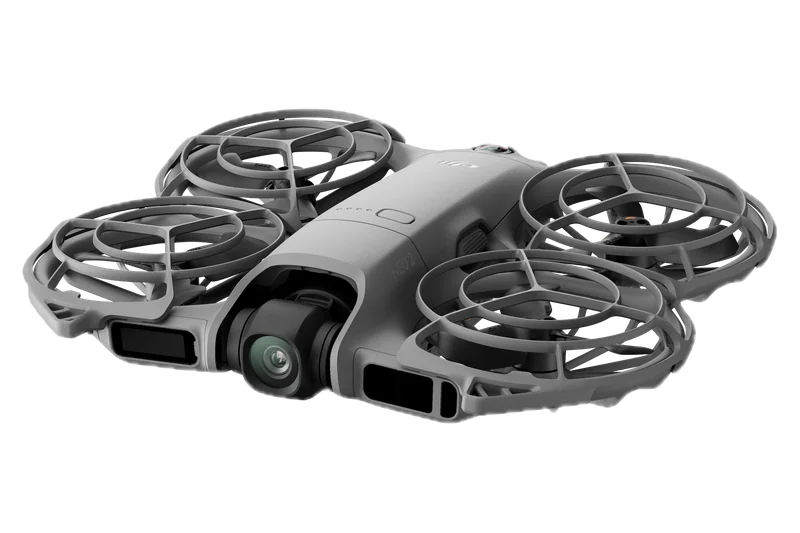
Since October 30, 2025, named in DJI's release notes, not its FAQ. Live view up to 1080p/100fps at 50 ms, on DJI's specs page for Canada.
Goggles firmware v01.00.1000
Its page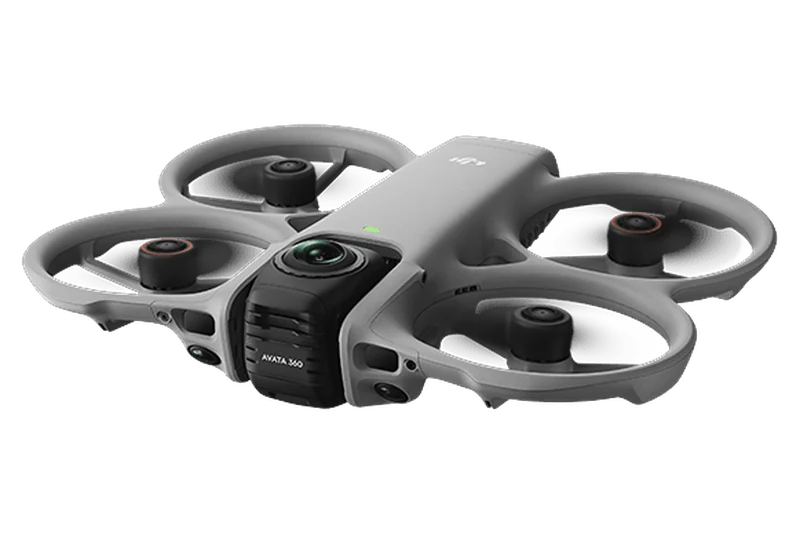
Since March 26, 2026, named in DJI's release notes, not its FAQ. DJI's U.S. site has no product page for it.
Goggles firmware v01.00.1300
Support came by firmware updates: the Air 3, Mini 4 Pro, RC 2, RC-N2 and Real View PiP in v01.00.0100 (April 11, 2024), the O3 Air Unit in v01.00.0300 (July 25, 2024), the Neo in v01.00.0400 (September 5, 2024), the DJI O4 Air Unit and O4 Air Unit Pro in v01.00.0700 (January 9, 2025), the Neo 2 in v01.00.1000 (October 30, 2025) and the Avata 360 in v01.00.1300 (March 26, 2026). The newest firmware is v01.00.1600 of October 20, 2026, and DJI notes that an update may reset settings such as the RTH altitude. DJI says to update the aircraft, the goggles and the controller to the latest firmware before first use, or they cannot link.
The Air 3 and Mini 4 Pro fly with one control device at a time, the RC Motion 3, the RC 2 or the RC-N2. With either of them in the goggles there are no intelligent flight modes, gimbal settings or manual focus, video is 4K/60fps or 1080p/60fps, and with a remote controller the live view shows only in the goggles, not in the DJI Fly app. The Neo flies with the goggles through the RC Motion 3 or the DJI FPV Remote Controller 3, and DJI's Neo 2 FAQ names the Goggles 3 and the Goggles N3 as its only goggles with those two controllers. DJI's U.S. site has no product page for the Neo 2 or the Avata 360.
DJI's FAQ names six products: the Avata 2, Air 3, Mini 4 Pro, the O4 Air Unit Series, the O3 Air Unit and the Neo; the user manual sends readers to that FAQ. DJI's release notes add two drones the FAQ does not name, the Neo 2 and the Avata 360. All eight as DJI prints them:
| Drone or air unit | Where DJI lists it | Firmware | Control devices | What DJI notes |
|---|---|---|---|---|
| DJI Avata 2 DJI Goggles 3 FAQ; DJI Avata 2 FAQ | Goggles 3 FAQ; Goggles 3 specs page; Avata 2 FAQ | DJI points to the Avata 2 downloads page for its documents | DJI RC Motion 3 or DJI FPV Remote Controller 3 (Avata 2 FAQ) | Latency and range on the Goggles 3 specs page are for the Avata 2 |
| DJI Air 3 Consumer Drones and Goggles Compatibility Information (for Goggles 3) v1.0 | Goggles 3 FAQ; compatibility PDF (2024-04) | Air 3 v01.00.1200 or later; Goggles 3 v01.00.0100 or later | DJI RC Motion 3 (v01.00.0100+), DJI RC 2 (v02.02.0000+) or DJI RC-N2 (v01.00.0700+); one control device at a time | No camera switching, gimbal settings, manual focus or intelligent modes; photos 12MP single shot; video 4K/60fps or 1080p/60fps; with a remote controller the live feed shows only in the goggles; head tracking with RC Motion 3 |
| DJI Mini 4 Pro Consumer Drones and Goggles Compatibility Information (for Goggles 3) v1.0 | Goggles 3 FAQ; compatibility PDF (2024-04) | Mini 4 Pro v01.00.0400 or later; Goggles 3 v01.00.0100 or later | DJI RC Motion 3, DJI RC 2 or DJI RC-N2 (v01.01.0300+ with Mini 4 Pro); one control device at a time | No Portrait mode, gimbal settings, manual focus or intelligent modes; photos 12MP single shot; video 4K/60fps or 1080p/60fps; with a remote controller the live feed shows only in the goggles; head tracking with RC Motion 3 |
| DJI Neo DJI Neo and DJI Goggles 3 Compatibility Information v1.0; DJI Goggles 3 Release Notes | Goggles 3 FAQ; Neo compatibility PDF (2024-09); release notes September 5, 2024 | Neo v01.00.0100 or later; Goggles 3 v01.00.0400 or later (support added September 5, 2024) | DJI RC Motion 3 (v01.00.0200+) or DJI FPV Remote Controller 3 (v01.01.0300+) | DJI U.S. Neo specs page lists no goggles or O4 link |
| DJI O3 Air Unit DJI Goggles 3 FAQ; DJI Goggles 3 Release Notes | Goggles 3 FAQ; release notes July 25, 2024 | Support added in Goggles 3 v01.00.0300 (July 25, 2024) | Not stated in the sources read | None stated |
| DJI O4 Air Unit / O4 Air Unit Pro DJI Goggles 3 FAQ; DJI Goggles 3 Release Notes | Goggles 3 FAQ (O4 Air Unit Series); release notes January 9, 2025 | Support added in Goggles 3 v01.00.0700 (January 9, 2025); INAV on-screen display added in v01.00.0800 (March 6, 2025) | Not stated in the sources read | None stated |
| DJI Neo 2 DJI Goggles 3 Release Notes | Release notes only (not in the FAQ list) | Support added in Goggles 3 v01.00.1000 (October 30, 2025) | Not stated in the sources read | DJI has no U.S. product page for the Neo 2 |
| DJI Avata 360 DJI Goggles 3 Release Notes | Release notes only (not in the FAQ list) | Support added in Goggles 3 v01.00.1300 (March 26, 2026) | Not stated in the sources read | DJI has no U.S. product page for the Avata 360 |
Every drone and air unit DJI names for the Goggles 3, as DJI prints it in its FAQ, compatibility documents and release notes, read November 14, 2026. The first source under each name is where DJI lists it.
Not from DJI for now: its U.S. product page marks the Goggles 3 not for sale and shows no price, and DJI's own U.S. store lists no goggles.
On November 14, 2026, DJI's U.S. product page marked the Goggles 3 not for sale and showed no price, and DJI's own U.S. online store listed no goggles among its 102 products. The store listed no Avata, Neo, motion controller or O4 unit either, and no drone. The sister model, the DJI Goggles N3, was last listed on DJI's U.S. page at $229, marked out of stock.
DJI drones, and all other drones produced abroad, have been on the FCC Covered List since December 22, 2025. Models authorized before the listing may still be imported and sold: the only import and marketing ban in force covers equipment added to the list in 2024 or earlier. DJI says owners can keep using the DJI equipment they already have, even with DJI on the Covered List; DJI wrote that before the listing. The documents we read say nothing about the goggles themselves, so this page makes no claim about them under the listing. The whole story: DJI ban in the U.S.
The sister model, the DJI Goggles N3, has one LCD screen worn over your own glasses and works with fewer DJI drones.
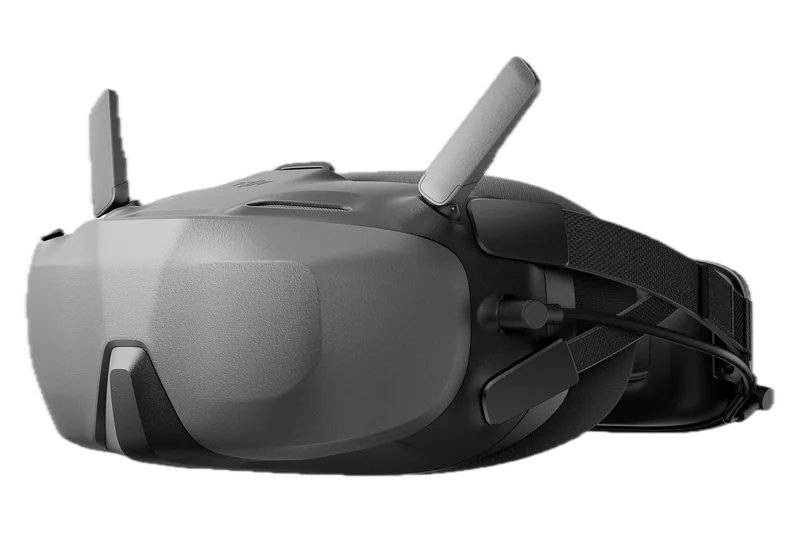
One 3.5-inch LCD screen at up to 60 Hz, made to be worn over your own glasses, and no Air 3, Mini 4 Pro or O3 Air Unit.
Last listed at $229
Side by side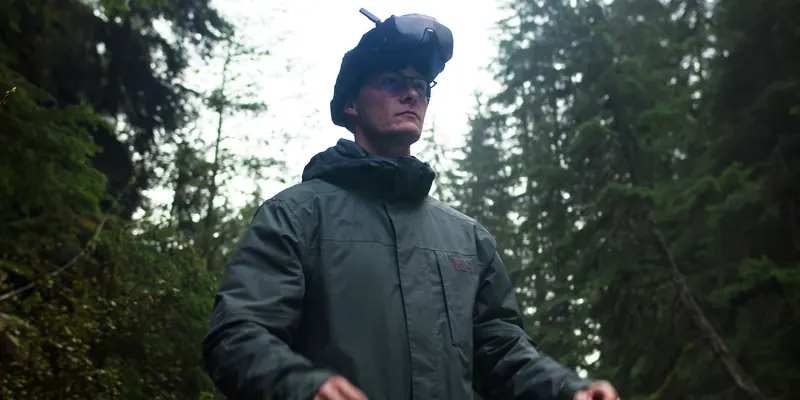
The three rules on who must see the drone when you fly with goggles, each in its own words.
The guide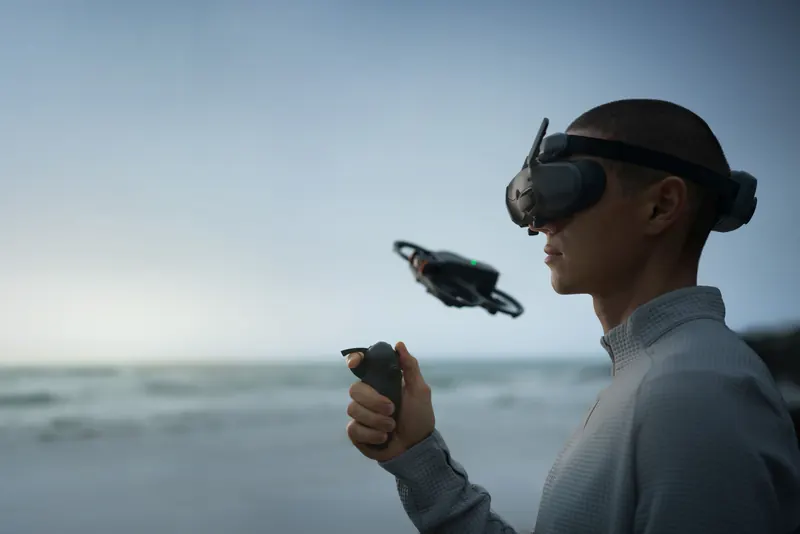
FPV drones picked by what you want to do with them, with what comes in each box.
The picksThe DJI Goggles N3 have one 3.5-inch LCD screen at up to 60 Hz, made to be worn over your own glasses, and work with the Avata 2, Neo, Neo 2, Avata 360 and O4 Air Unit, but not with the Air 3, Mini 4 Pro or O3 Air Unit. DJI weighs the two differently, so their weights are given side by side, not set against each other. Every figure side by side, differences first: DJI Goggles 3 vs N3.
DJI's FAQ names the Avata 2, Air 3, Mini 4 Pro, the O4 Air Unit Series, the O3 Air Unit and the Neo. DJI's release notes add the Neo 2 (firmware v01.00.1000, October 30, 2025) and the Avata 360 (v01.00.1300, March 26, 2026). DJI says to update the aircraft, goggles and controller to the latest firmware before first use, or they cannot link.
The Mini 3 is not on DJI's Goggles 3 list. The camera drones on it are the Air 3 and the Mini 4 Pro, flown with the RC Motion 3, the RC 2 or the RC-N2, without intelligent flight modes and with video at 4K/60fps or 1080p/60fps.
Inside the built-in range of −6.0 D to +2.0 D, DJI says glasses are not needed. Outside it, the included −2.0 D lenses and frames extend the range, and for astigmatism DJI says to get lenses from an optician and fit them in the frames.
DJI's U.S. product page shows no price and marks the Goggles 3 not for sale, and DJI's own U.S. online store lists no goggles. The Goggles N3 were last listed on DJI's U.S. page at $229, marked out of stock.
The FCC put DJI drones, and all other drones produced abroad, on its Covered List on December 22, 2025. Models authorized before the listing may still be imported and sold, and DJI says owners can keep using the DJI equipment they already have. The whole story: DJI ban in the U.S.
DJI's pages state no launch date. The first entry in DJI's Goggles 3 release notes is firmware v01.00.0100 of April 11, 2024, and the user manual we read is version 1.0 of May 2024.
No. DJI's FAQ says the Goggles 3 do not support analog video; they also work with no flight simulators and have no HDMI port.
Documents are named, not linked. Each was read on November 14, 2026. Page checked November 14, 2026.
Photos: DJI press images. Product photos by DJI.